---
title: CLI quickstart
description: Install the Ysra CLI, sign in, and get your first change made in a folder on your own machine — in about five minutes.
sidebar_title: Quickstart
---
Three steps: install, sign in, ask. Everything happens in your terminal, on a
folder you choose.
## First change in five minutes
### Install
On macOS or Linux:
```bash
curl -fsSL https://ysra.ai/install.sh | sh
```
The download is checked against its published checksum before anything is
installed, and it installs for your user only. Options, manual download and
Windows: [Install the CLI](../install/cli.md).
### Sign in
```bash
ysra login
```
Enter your Ysra email and password. Your sign-in is kept in the macOS Keychain,
or in a file only you can read on Linux.
### Open a folder
```bash
cd ~/code/billing-service
ysra
```
The folder you start me in is the folder I work on. The first time, I ask
whether you trust it. A folder without Git works too.
### Ask for something
Start with a question, so nothing changes yet:
```text
› explain how refunds are calculated
```
Then ask for a change:
```text
› add partial refunds: never more than the remaining balance, with a test
```
I read the code, make the change, run your checks, and show each step as it
happens. Nothing is committed.
### Keep it, or put it back
```text
/diff see exactly what I changed
/commit commit my changes on a branch
/undo put everything back as it was
```
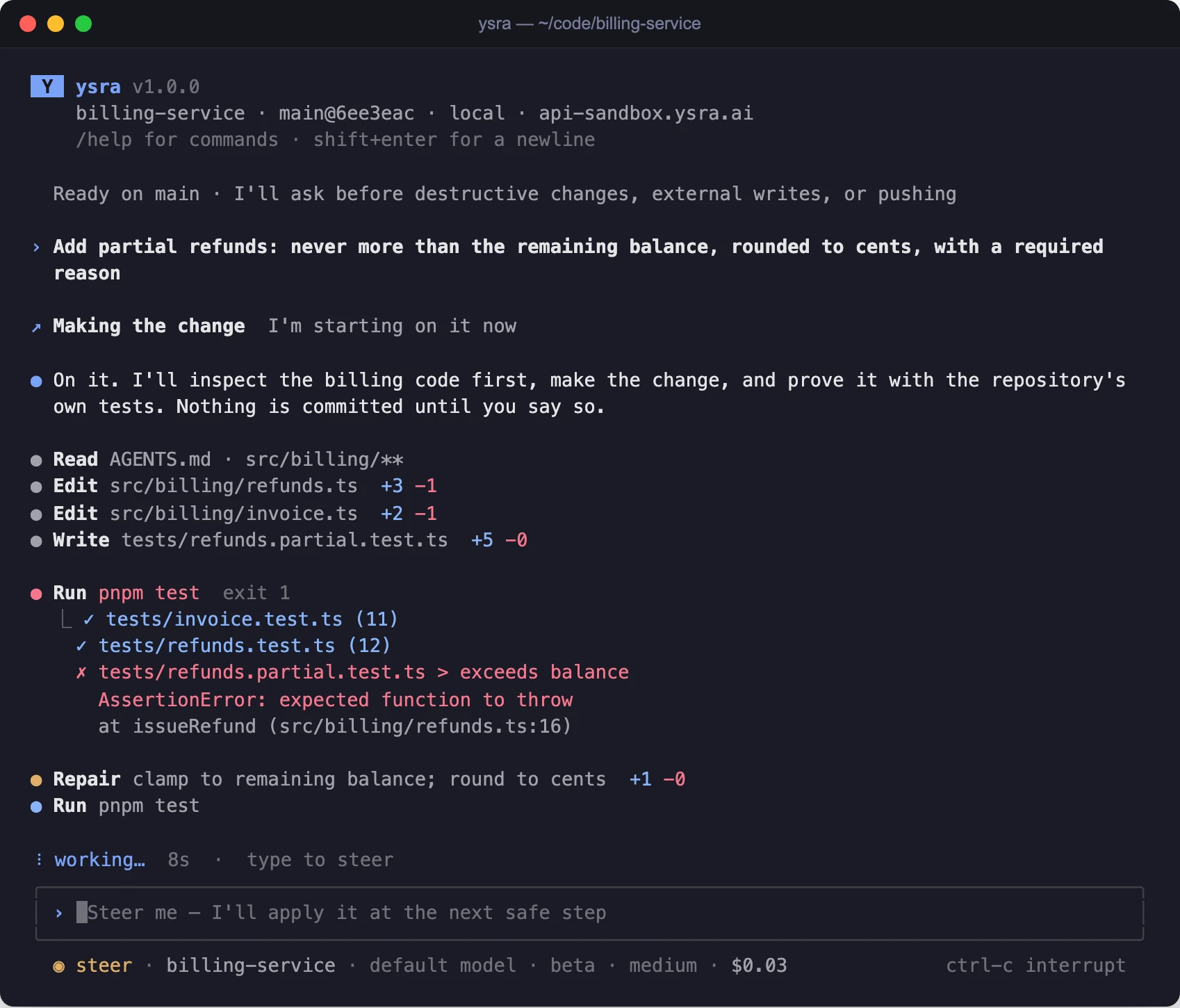{ width="1698" height="1450" }
/// caption
A change in progress: what I read, what I edited, a failing test, the repair.
///
## What I ask before doing
Inside your folder I work freely once you've asked for a change. I stop and ask
before deleting your files, before anything that reaches outside your computer
(a deploy, a push), and before installing or starting anything. See
[When I ask for your OK](guide.md#when-i-ask-for-your-ok).
## Next
- [**Work in a folder**](guide.md)
The working timeline, approvals and auto mode in full.
- [**Commit, push and undo**](commit-push-undo.md)
Branches, pushing, your CI read back, and exact undo.
- [**Devices**](../devices/overview.md)
Work on a folder on a server or edge device.
- [**Command reference**](commands.md)
Every command and slash command.