---
title: Sessions on your phone
description: How a session reads on the phone — the conversation, grouped machine work, the output bar, previews, changes, reports and budget decisions.
---
## The conversation
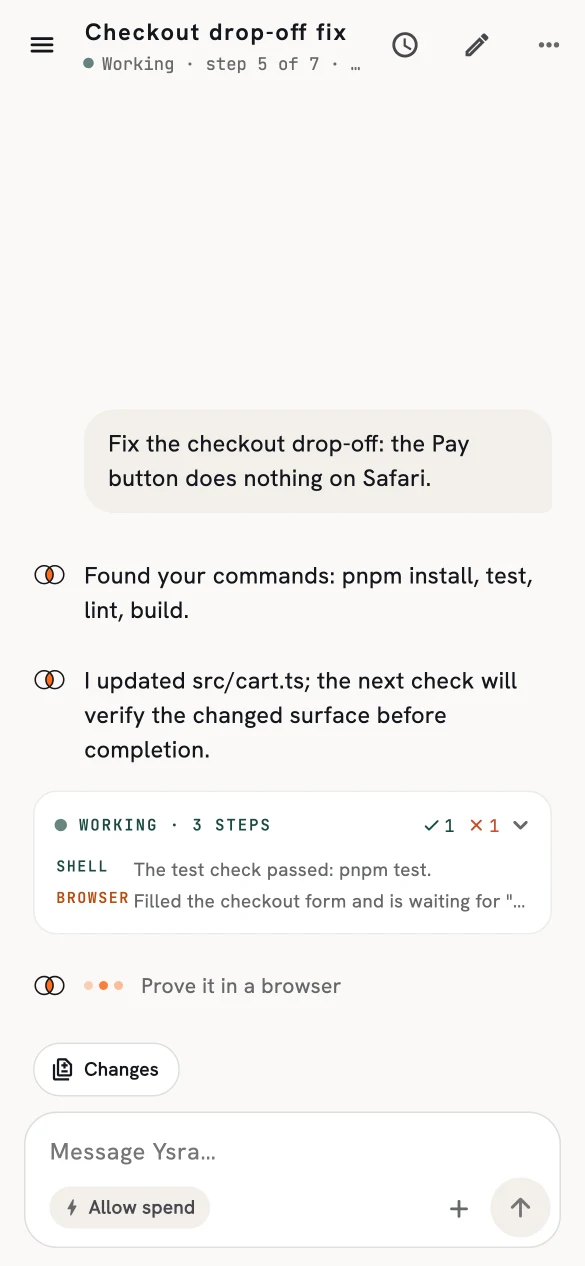
A session on the phone is what you said and what Ysra said back, as chat. The
machine work between two messages folds into **one card**:
- live while it runs;
- its checks at a glance — passed and failed;
- the last two steps visible;
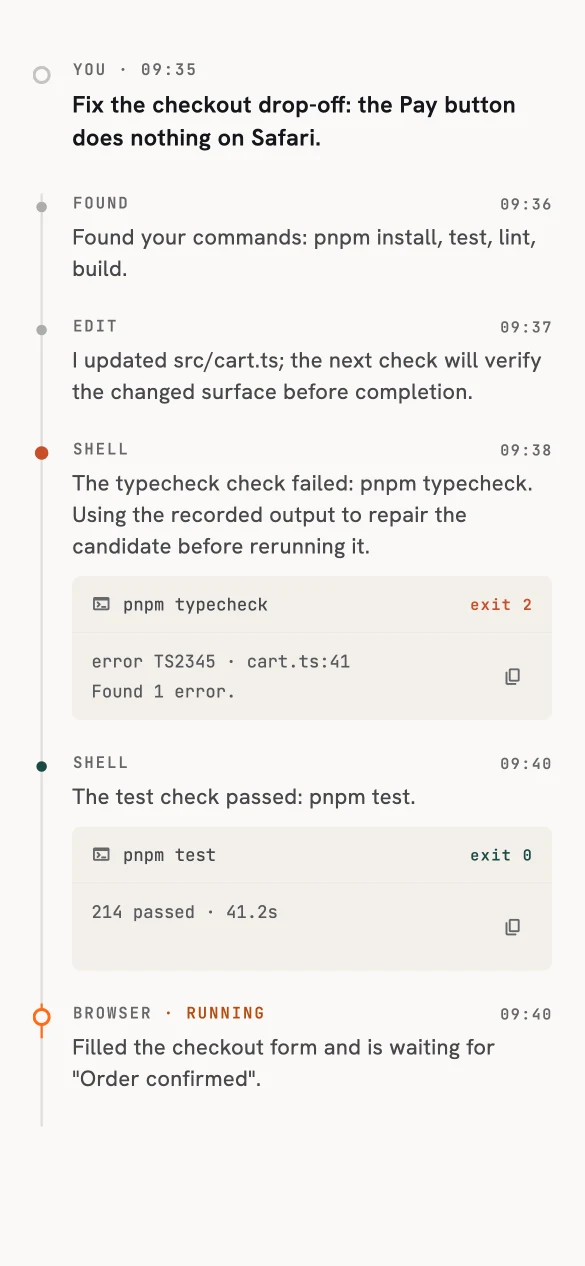
- the full trail one tap away.
A typing row says what Ysra is doing right now.
{ width="585" height="1266" }
/// caption
A session in progress.
///
{ width="585" height="1266" }
/// caption
The full trail behind the card.
///
## The output bar
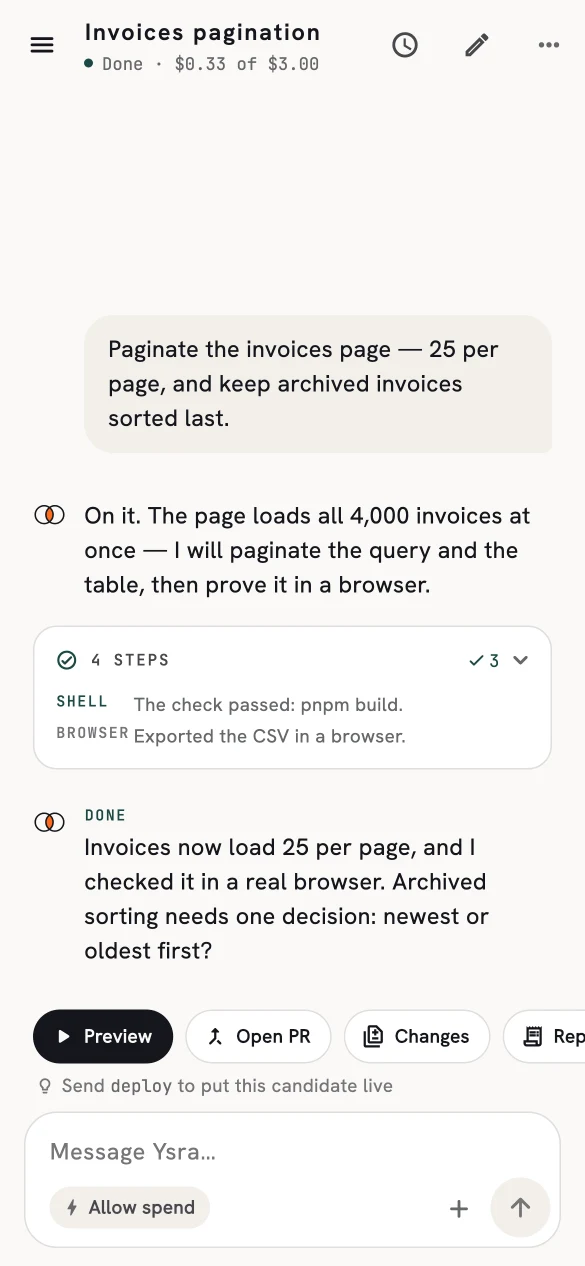
Above the message box, the output bar holds what the session produced:
| Button | Does |
|---|---|
| **Preview** | Starts the app Ysra built and opens it. Test sign-in details are offered when the app needs them. |
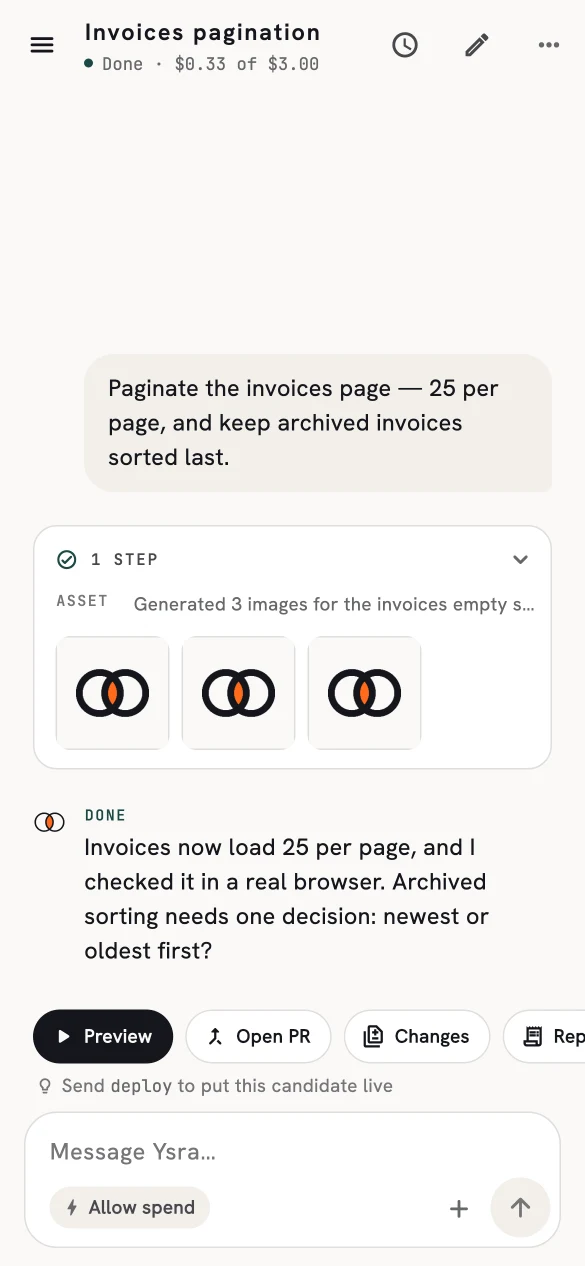
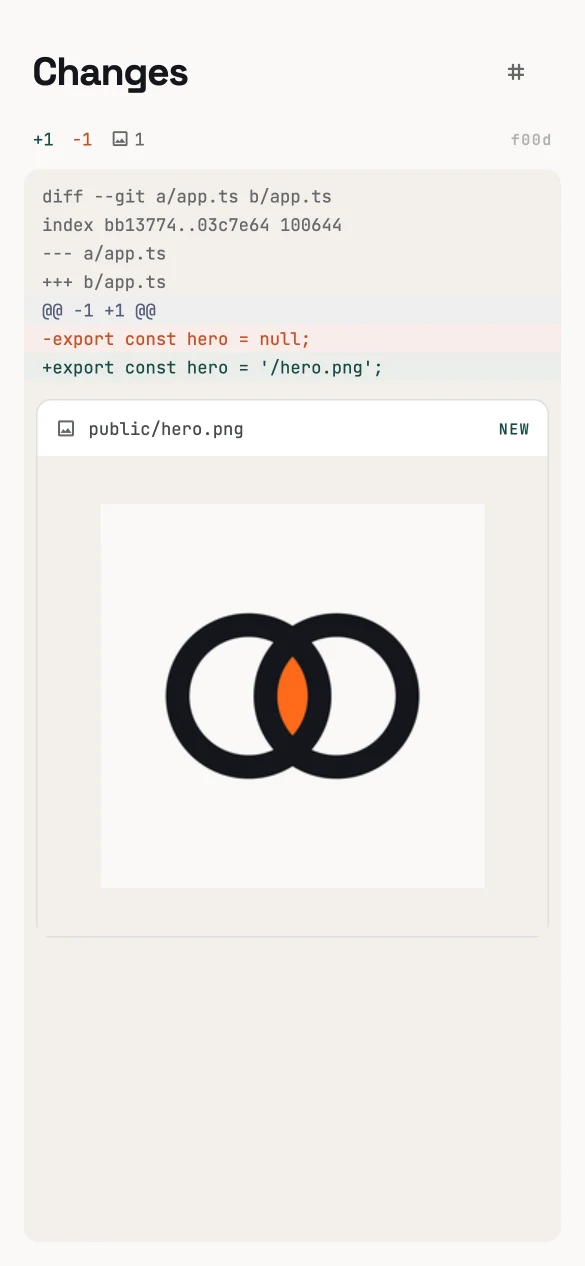
| **Changes** | The diff — including images Ysra added. |
| **Report** | The [build report](../developer/reports.md). |
| **Open PR** / **PR #n** | Pushes the branch and opens a draft pull request, or opens the one already there. |
A hint under them notes that sending **deploy** puts a finished candidate live.
Browser-verification screenshots appear at the end of a finished conversation.
{ width="585" height="1266" }
/// caption
Done, with a decision for you.
///
{ width="585" height="1266" }
/// caption
Images Ysra generated, inline.
///
{ width="585" height="1266" }
/// caption
Changes, including new images.
///
## Previews on the phone
**Preview** rebuilds the finished version and gives you a link:
- a **website** opens in the system browser;
- an **API** is labelled as an API with its address, rather than a blank page;
- if the app needs an account, you're offered temporary sign-in details for that
preview only.
The first preview can take a few minutes while dependencies install and the app
builds.
## Budget decisions
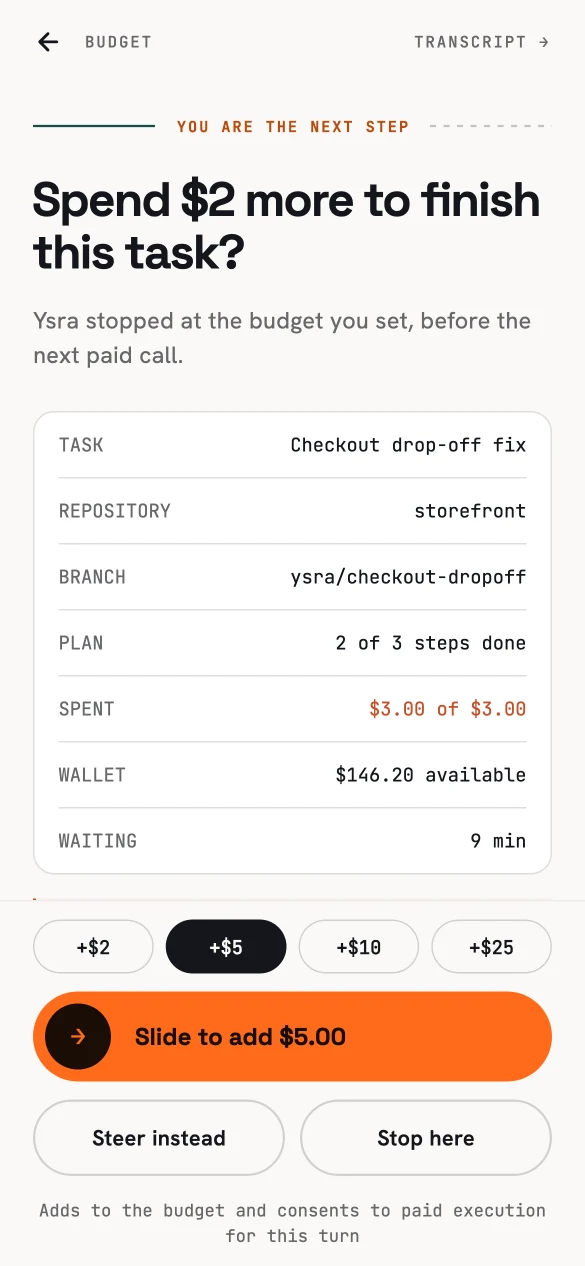
When a session reaches its budget, the phone asks — with everything you need to
decide:
{ width="585" height="1266" }
/// caption
Add budget, steer, or stop.
///
- **Add** a small amount with one slide.
- **Steer instead** — change the approach rather than spend more.
- **Stop here** — keep what's done.
## Live updates
The conversation updates live and catches up after you lose signal, without
losing or repeating steps. You never see internal model reasoning — only the
recorded narrative of what Ysra did.