Define your company profile
On this page
The profile gives every colleague the same short answer to three questions: what the company does, who it serves, and where its public information lives. Keep it factual and stable. Details that change often belong in the wiki or in the source system that owns them.
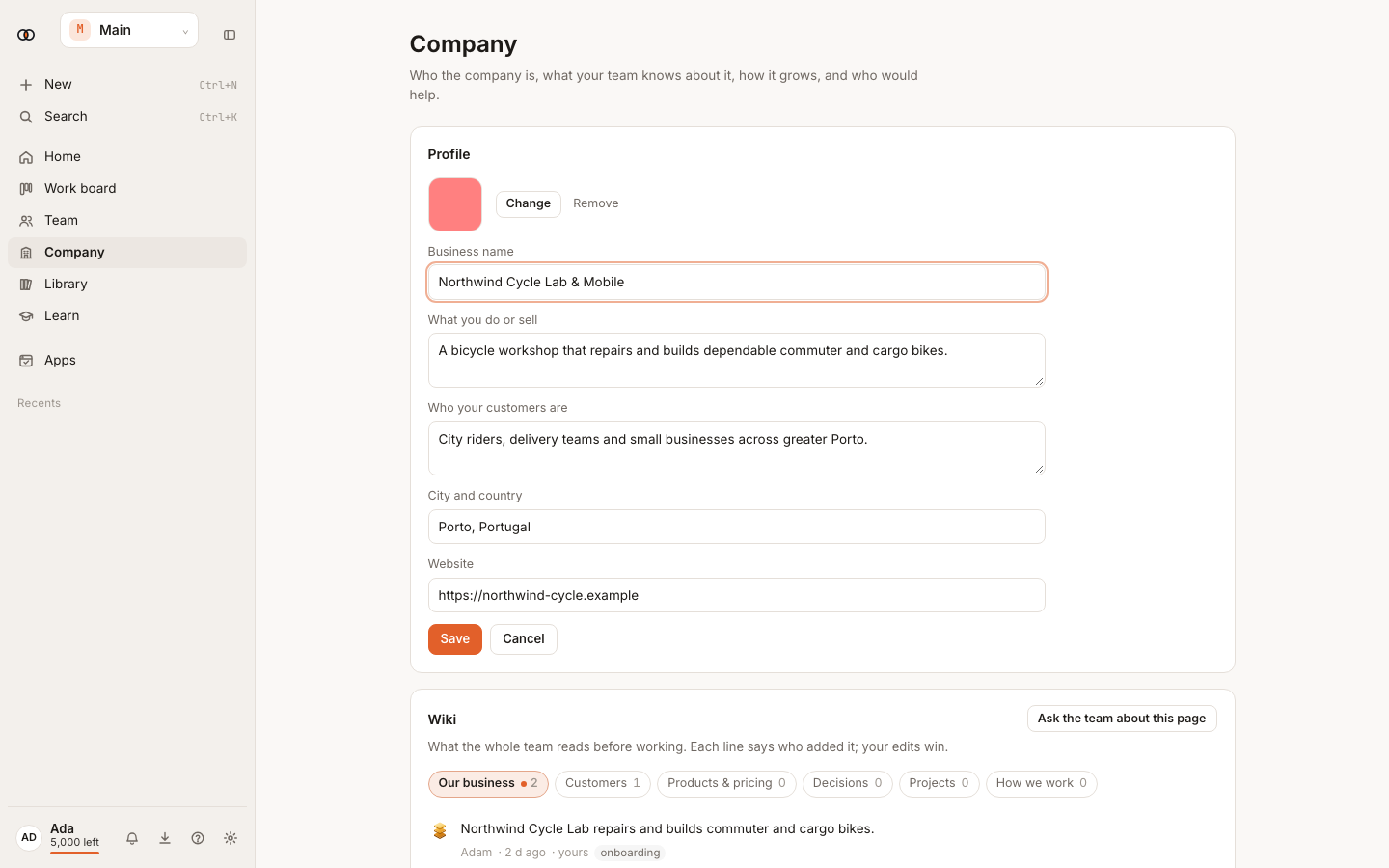
Complete the profile#
- Open Company.
- Select Start setup when the profile is empty, or Edit in Profile.
- Enter the company name and a plain description of what it sells or does.
- Describe the customers precisely enough to guide work. Prefer “independent clinics in Morocco” over “businesses”.
- Add the city and country, website, and optional logo.
- Review the summary as if a new employee were reading it, then select Save.
Write a useful description#
A useful description names the offer, the customer and the important constraint. For example:
A bicycle workshop in Porto that repairs and builds commuter and cargo bikes for city riders, delivery teams and small businesses.
Avoid slogans, unsupported claims and instructions to one colleague. Put prices, policies and detailed procedures in the wiki so they can be reviewed independently.
What changes after saving#
New colleague work can use the updated profile immediately. Work already in progress keeps the context it started with. Changing the website also changes the site used when you next create or refresh a growth plan.
Verify the profile#
- Ask a colleague: “Summarise who we serve and what we offer.”
- Check that the answer uses the profile without inventing missing details.
- Add any stable missing fact to the profile or wiki, then ask again in a new task.
Troubleshooting#
- You cannot edit: ask an owner to make the change.
- The growth-plan button is unavailable: add a company name or website.
- A colleague still uses the old profile: start a new task; running work does not replace its starting context.