Choose Ask, Code or Mayz
On this page
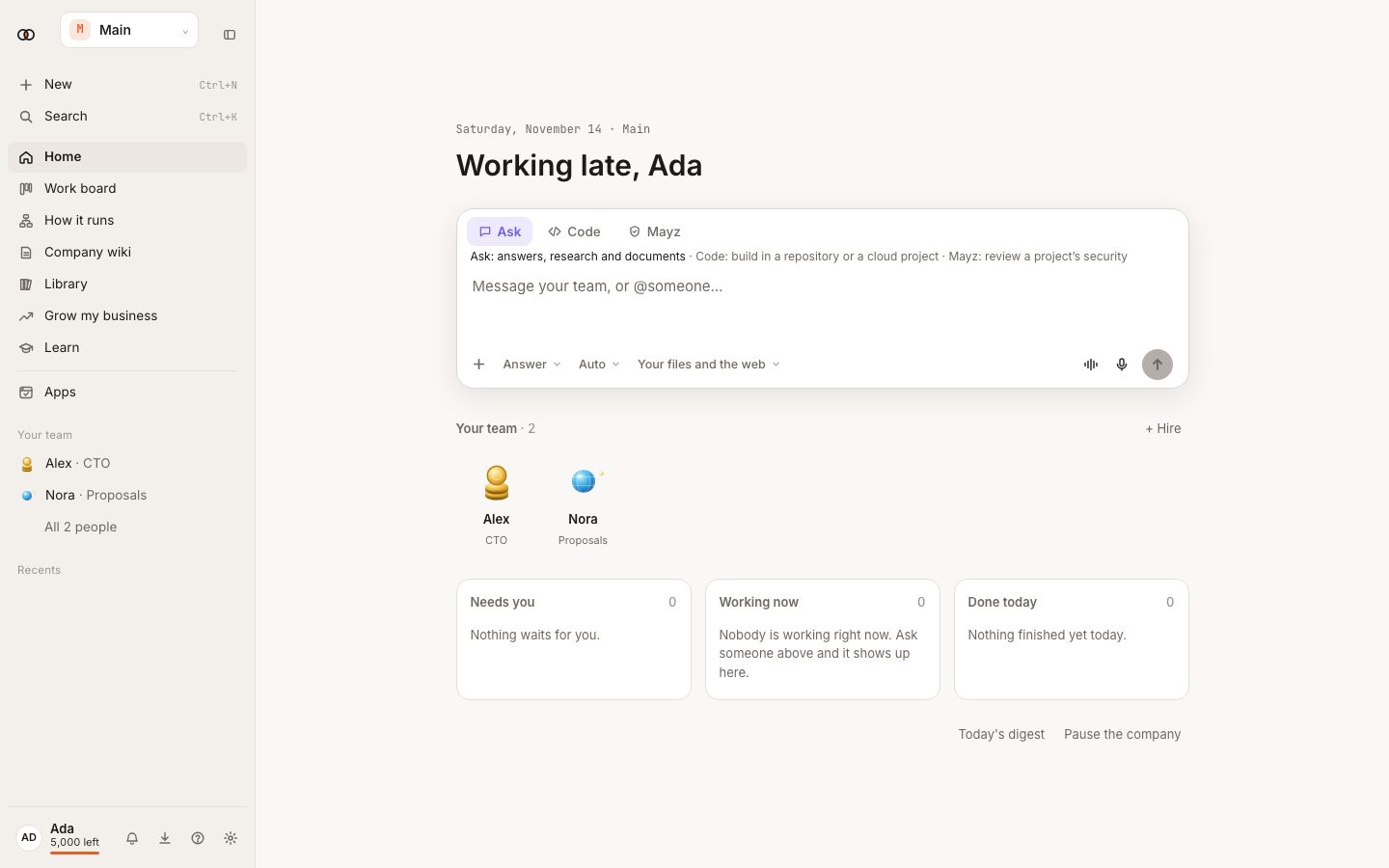
The switch above the message box chooses the workspace you want to use. These are places where you work directly with Ysra. A colleague's skills and computer are managed from that colleague's own page.
Before you start#
Ask works in the web app. Code runs on your own computer or from a linked cloud project. Mayz needs a repository for reviews; live tests require Pro or higher.
Ask with sources and files#
- Choose Ask.
- Type the question and attach files or select connected sources when needed.
- Choose Quick, Thorough, or Auto when the choice is offered.
- Send the question. Open citations to check the supporting source.
Quick is best for a direct answer. Thorough spends more time on research. Auto chooses for the question. Tables, spreadsheets, documents and audio that Ysra creates appear as output cards you can open or download.
Start Code#
- Choose Code.
- Select a repository or cloud project. Add it to the workspace if prompted.
- Describe the change and the result that proves it works.
- Watch the timeline. Answer an approval or question when the ending is Needs you.
- Review the changes and pull request before merging.
Run a Mayz review#
- Choose Mayz and select the repository.
- Choose the review and confirm its scope.
- For a live security test, review the drafted setup line by line. Confirm the
package start, test data and settings. Add
mayz-live.jsonwhen Mayz cannot draft a safe setup. - Read the report, its evidence and recommended fixes.
What happens next#
The result stays in its thread with sources, files, changes or review evidence.
Tips#
- State what must be checked before Code or the computer finishes.
- Give the result and the check you expect before starting Code or Mayz.
Limits by plan#
Free is limited to Quick and receives 20 free light Quick answers a day. Starter receives 100, Pro 300, Max 1,000, and Team 200 per person per day. Mayz live is on Pro, Max, Team and Enterprise.
Troubleshooting#
- A choice is dimmed: open its explanation and check the repository, plan or workspace access it names.