A weekday incident brief
Set up a worker that reads your incident channel and Jira project every weekday morning, summarises what changed, and prepares a Slack update that waits for your approval.
On this page
Every weekday at 08:30, you want a short brief on open incidents and a Slack update ready to post — without anything being posted until you say so.
You'll need: Slack and Jira connected. See Slack and Jira.
Step by step#
Describe the worker#
Workspace → Workers → New worker, and describe it:
Every weekday at 08:30 Europe/Paris, read #incidents and Jira project OPS.
Summarise open incidents and what changed since yesterday, list anything
that needs a decision, and prepare a Slack update for #eng-leads.
Never post without my approval.
Check the boundary#
Ysra drafts the worker. Before activating, confirm:
| Setting | Should be |
|---|---|
| Kind | General |
| Sources | #incidents and Jira OPS — nothing else |
| Grants | Chat write (to propose the Slack update) |
| Slack posting | Approval required |
| Trigger | Cron 30 8 * * 1-5, time zone Europe/Paris |
Rehearse#
Press Run now. Read the brief it produces and the Slack update it proposes. Adjust the instructions if the tone or length is off, and run again.
Activate#
Activate the worker. From tomorrow it runs every weekday morning.
Approve from your phone#
Each morning the proposed update appears in the Workers approval queue on your phone. Approve posts that exact text once; No discards it.
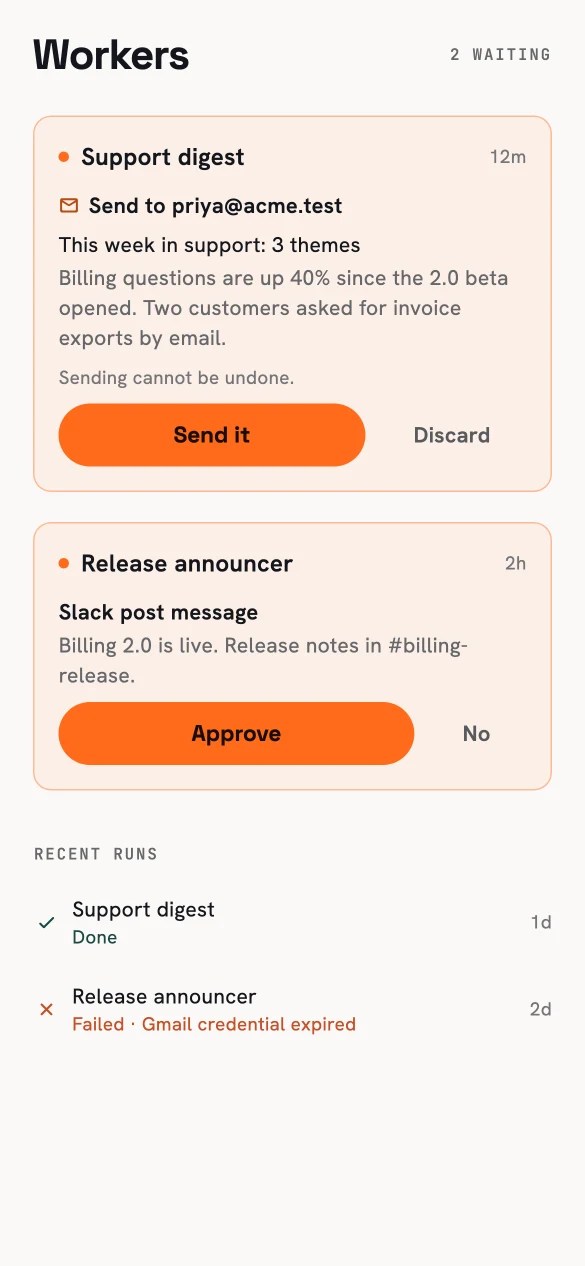
The morning update, waiting for you.
Adjusting later#
- Pause it during a freeze; resume when you're back.
- Edit it any time — the change applies from the next run, and past runs keep the version they used.
- Want the brief in more places? Add a source, or a second worker for another team.