Manage your wallet, plan and limits
On this page
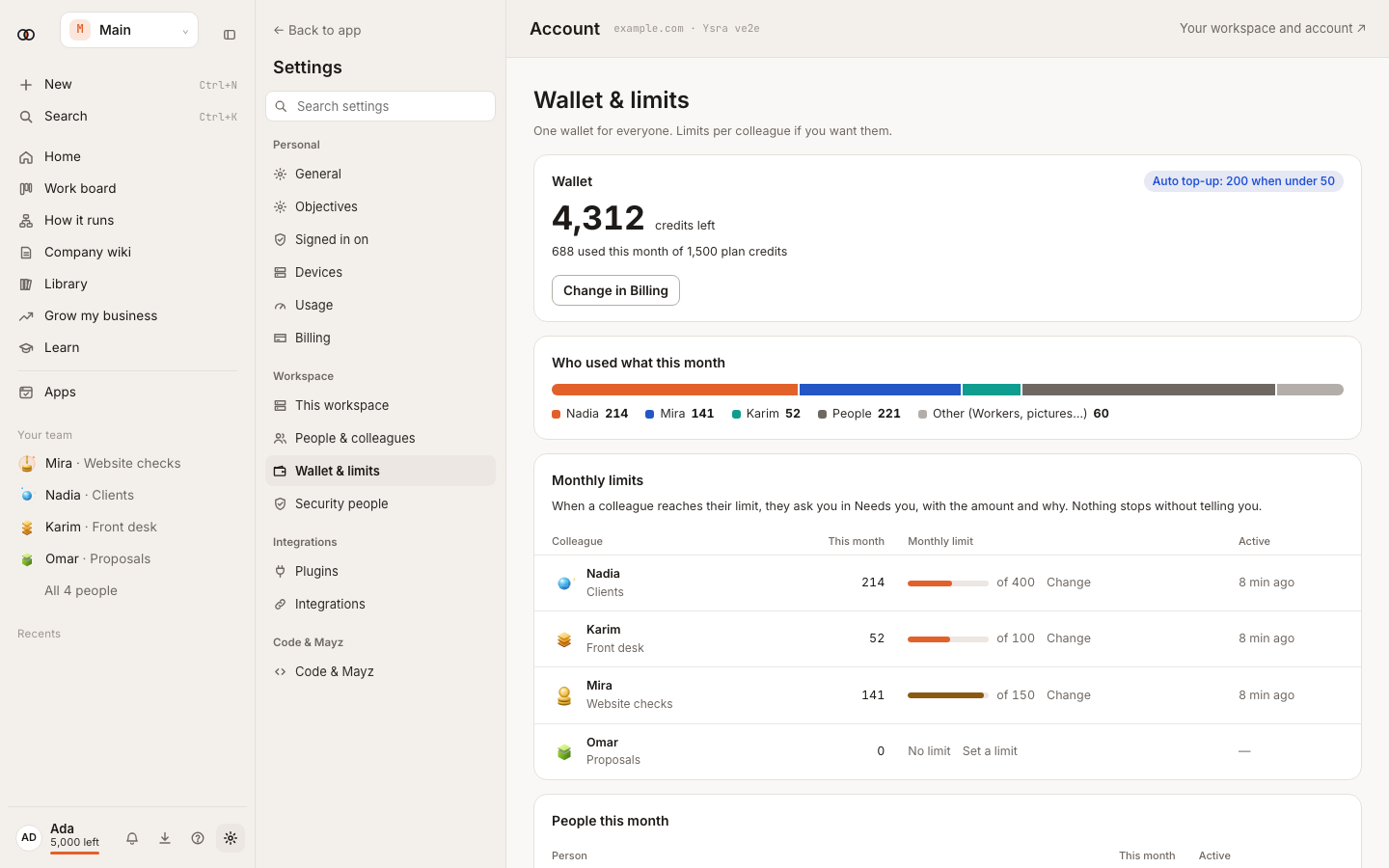
Use Wallet & limits to see credits, monthly use, auto top-up and spend by person or colleague. Plan limits apply when you add or turn on something new; existing items are not silently removed.
Before you start#
Only an owner or billing manager can buy a plan, add credits or change billing settings.
Check spend and set limits#
- Open Settings → Wallet & limits.
- Read the available balance and this month's use.
- Review spend by person and colleague.
- Set a colleague's monthly limit under People & colleagues.
- Turn on auto top-up only after reviewing its threshold and amount.
Plans#
| Plan | Price | Included monthly credits | Main limits |
|---|---|---|---|
| Free | — | 200 once | No colleagues (just Ysra), no routines or apps, Quick only; daily free Quick answers |
| Starter | $20/month | 2,000 | 10 colleagues, 2 routines, 3 apps, daily schedules, Telegram |
| Pro | $100/month | 10,000 | Unlimited colleagues, 10 routines, hourly schedules, Slack, Telegram, 1 short computer, Mayz live |
| Max | $200/month | 20,000 | Unlimited colleagues, 40 routines, 15-minute schedules, 2 computers, priority work, 5% top-up bonus |
| Team | $40/seat/month, 2-seat minimum | 4,000/seat, pooled | Unlimited colleagues; 8 routines/seat; shared apps; computer capacity by seats |
These customer plans have applied since Ysra 3.30, released 14 November 2026; the colleagues per plan since 20 November 2026. A colleague hired before keeps working; only hiring past the plan is refused. The computer is included on Pro, Max and Team.
Enterprise limits are agreed with your organisation and are not capped by this catalogue.
Add credits#
Choose a top-up in Wallet & limits. Fixed packs are $25, $100, $500 and $2,000. The $500 pack adds 5% bonus credits; $2,000 adds 10%. You can also buy a whole-dollar amount from $5 to $5,000 without a pack bonus. Purchased credits stay until used; unused monthly plan credits end with that plan month.
What happens next#
The balance updates after payment is confirmed. Ysra warns at 10% remaining. When there is not enough credit, new paid work waits or stops with a message; it does not continue invisibly.
Tips#
- Use spend by colleague to set a realistic monthly limit.
- Treat free Quick answers as lightweight questions; files, tools and other work can still use credits.
Troubleshooting#
- Ask the owner: your role cannot manage billing.
- A new colleague, routine, app or schedule is refused: compare it with the plan table and change the item or plan.
- Payment page couldn't be opened: try again in a moment. No credits are added until payment is confirmed.