Tools, setup and Docker
How I run commands on your machine, which of your tools I use, and what I may install or start — only with your OK.
On this page
How I run commands#
I run commands in a contained space on your machine:
- Writes go only to the folder you opened, a temporary folder, and package caches.
- Network is off by default. Installing dependencies opens the package registries (npm, PyPI, crates.io, the Go proxy). A tool you've allowed opens only that tool's own sites.
- Secrets stay closed. I don't read
.envfiles, private keys,~/.ssh,~/.gnupg, hosting-provider credential folders, browser profiles or keychains.
If your machine has no way to contain commands, I don't run any. I tell you,
and keep reading and editing files. ysra doctor shows where you stand.
Keep more files from me#
Add patterns, one per line, to .ysra/deny in your folder:
secrets/**
*.tfstate
config/production.yml
I can't read, search or change anything that matches. I can't edit this file either.
Your own tools#
When you open a folder, I note which tools you have installed: git, node,
pnpm, python, go, docker, gh, and the command-line tools of common
hosting services such as netlify and fly. I see names and versions, never your
account names.
So you can say:
› deploy this with my Netlify CLI
› open a pull request with gh
› start the preview
- Looking runs without asking:
netlify status,gh pr view,npm view. - Anything with an effect outside your machine asks first, every time, auto mode included: deploy, publish, create a release or pull request, set remote environment values.
I use the tool's existing sign-in. I never sign in for you.
When a tool is missing#
Node.js, Python or Git#
If a task needs one of these and your machine doesn't have it, I pause and ask:
I need Node.js to run your tests. Want me to install it?
  Install · Not now
On your OK I install the official build, checksum verified, into my own folder
(~/.ysra/tools). Nothing is installed system-wide, and nothing in your shell
changes. Remove them any time in the desktop app under
Settings → General → Installed tools, or delete the folder.
Anything else#
For other tools I propose one specific step and show exactly what would run:
| Situation | What I can do, with your OK |
|---|---|
| Not installed | Install with your package manager (Homebrew, winget, Scoop), or download the official build and verify its checksum |
| Installed but not running (for example Docker) | Start it |
| Not signed in | Nothing. I show you the steps; signing in is yours to do |
Fixed limits, whatever I'm asked:
- no
sudo; - no installers that need your password (
.pkg,.dmg,.exe,.msi). I give you the link and wait; - no removing or uninstalling anything;
- only what's shown in the prompt runs;
- auto mode never answers this for you.
Afterwards I check the tool really works, then continue. Ask "how do I do it?" while I'm waiting and I show the steps so you can do it yourself.
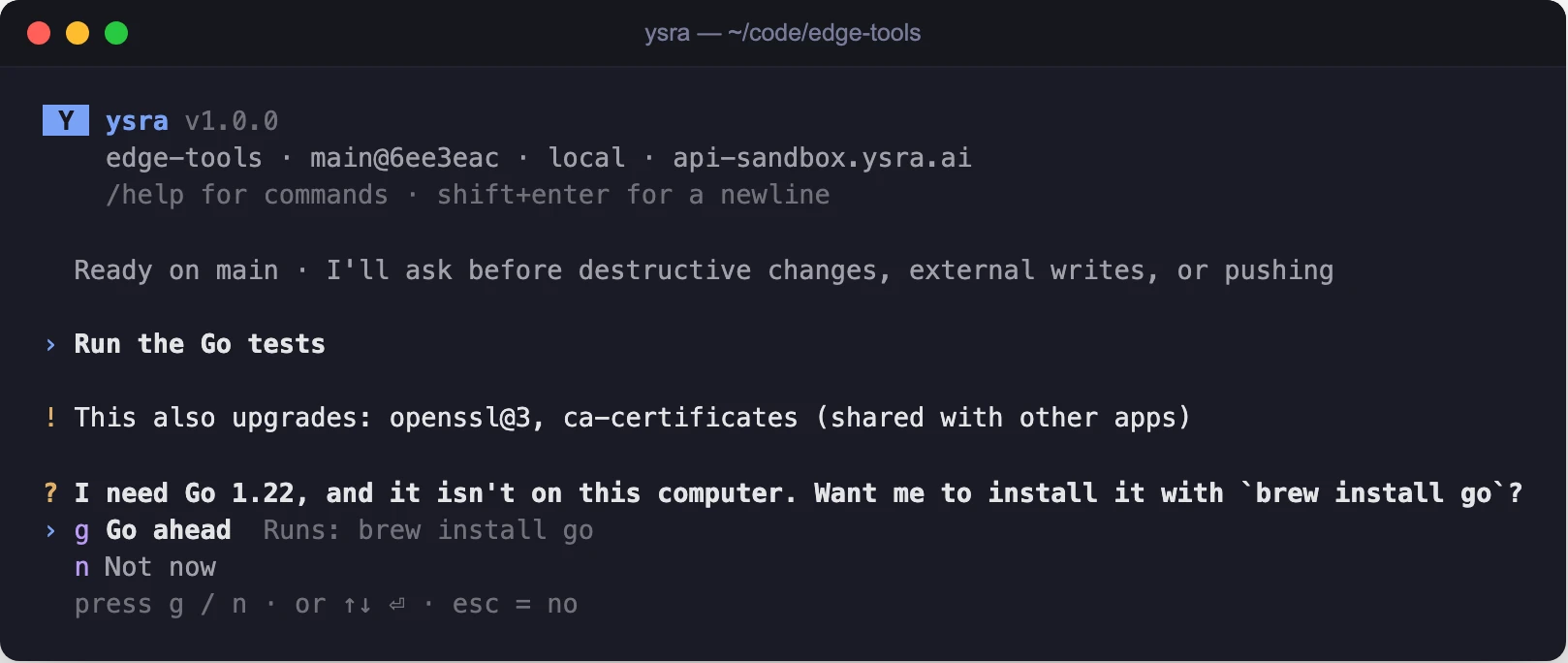
Asking before installing a missing tool, showing exactly what runs
Docker#
Docker can reach well beyond one folder, so it has its own question:
Let my commands use Docker in this session?
  Allow for this session · Not now
- Asked once per conversation, the first time a command needs Docker.
- Lasts for that conversation only.
- Auto mode never answers it.
/statusshows Docker: allowed for this session while it's on.
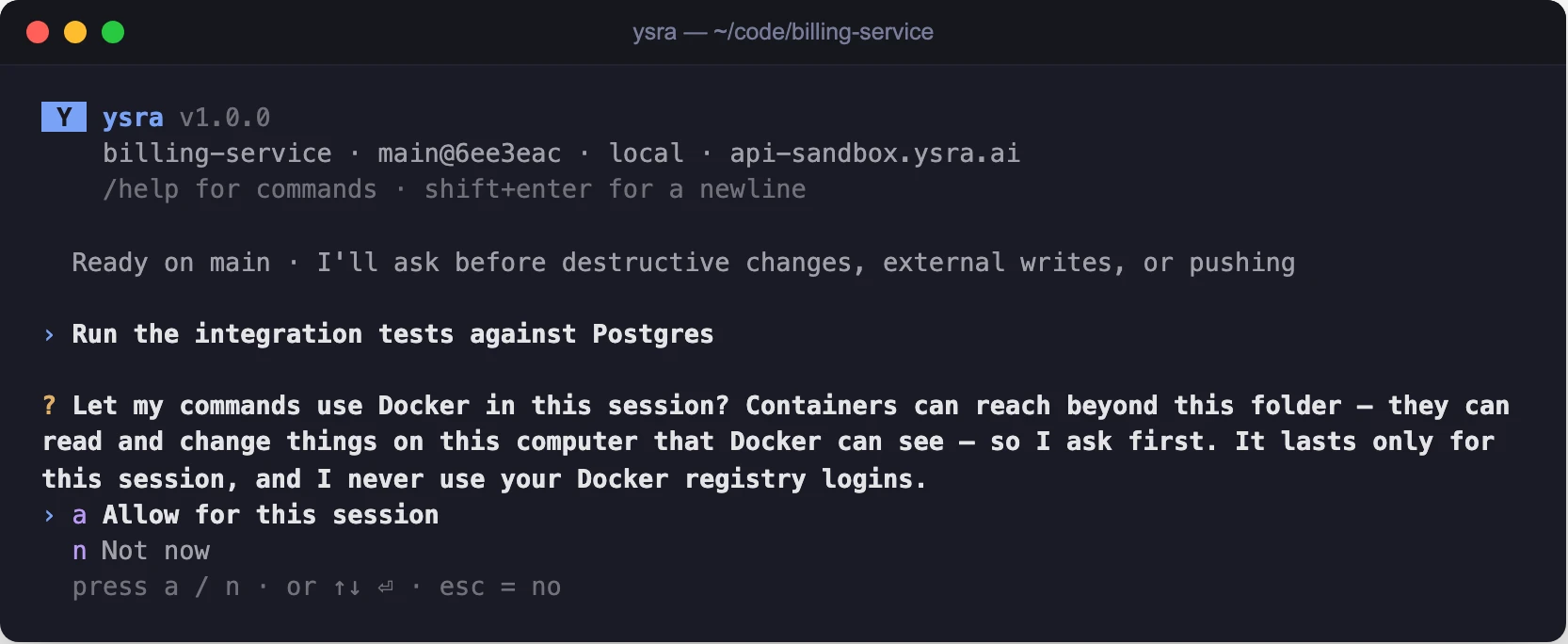
The Docker question, asked once per conversation
If you say "Not now", I carry on without Docker where I can. Say "continue" if you change your mind.
ysra doctor#
ysra doctor
One line per check: ✓ is fine, ✗ needs fixing, · is information.
✓ ysra 1.0.0 (build 330c400, 2026-10-03) (the latest)
· machine: macos arm64; package managers: brew
· hardware: 0 cameras, GPU: none
✓ commands: a test command ran safely contained (seatbelt)
✓ Git: 2.50.1 (Apple Git-155)
✓ API: https://api-sandbox.ysra.ai (reachable)
✓ signed in as you@example.com
· not signed in as a device (`ysra login --device`, on a server or edge device)
| Line | What it checks |
|---|---|
ysra |
Your version, and whether a newer one is available |
machine |
The system, and the package managers I may use with your OK |
hardware |
Cameras and GPU |
commands |
A test command really ran safely contained, or what's missing |
Git |
Git is installed |
API |
Ysra's service can be reached from this machine |
| sign-in | Your sign-in on this computer, and a device's sign-in |
On a device that's signed in, the last two lines read:
· not signed in on this computer (`ysra login`)
✓ signed in as device edge-01 (observe mode)
When something is wrong, or there's something to do, the line says what and how:
· ysra 1.0.0 (build 330c400, 2026-10-03); 1.0.1 is out (`ysra update`)
✗ API: https://api-sandbox.ysra.ai can't be reached: the connection was refused
✗ your sign-in expired (`ysra login`)
✗ this device was removed from your account (`ysra login --device` to add it again)
For a connection problem the reason is named: DNS, TLS, a timeout, or a refused connection, with a hint if a proxy is set.
ysra doctor exits with an error status when commands can't run, Ysra can't be
reached, or a device's sign-in has failed, so you can use it in a script.