Work in a folder
Sign in, open a folder, ask a question or describe a change, and follow what I do.
On this page
In the terminal you talk to me in plain language. I work on the folder you started me in: I read it, change it when you ask, run its checks, and show you everything I did.
Sign in#
ysra login
Enter your Ysra email and password. Your sign-in is kept in the macOS Keychain,
or in a file only you can read on Linux. You can also just run ysra: if
you're signed out, I ask there.
Open a folder#
cd ~/code/billing-service
ysra
The folder you start me in is the folder I work on. Nothing else.
- The first time, I ask whether you trust the folder. I remember the answer.
- A folder without Git works too.
- Next time you run
ysrain the same folder and branch, I pick up the same conversation.
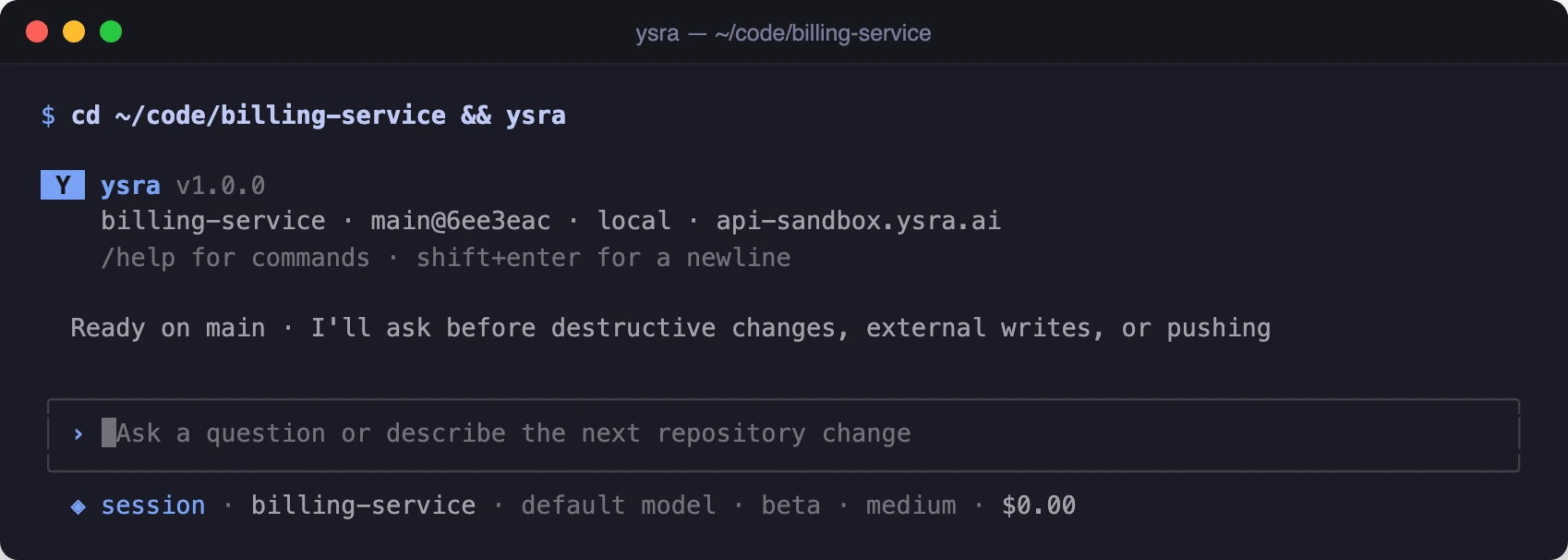
Started in a folder
Ask, or ask for a change#
Type what you want. You don't pick a mode.
› explain how refunds are calculated
› fix the failing invoice tests and add support for partial refunds
- A question gets an answer with the files I read to reach it.
- A change gets done in your folder: I edit, run your checks, review the result, and report.
- While I'm working, anything you type is either a question I answer or a steer I pick up at the next safe point.
To hand me a written brief, attach it with @:
› @PLAN.md
Checklist items and anything under "Acceptance criteria" or "Done when" become the criteria I check the work against.
The working timeline#
Everything I do appears as I do it:
 › fix the failing invoice tests and add support for partial refunds

 ● Read AGENTS.md · src/billing/**
 ● Edit src/billing/refunds.ts  +6 −1
 ● Run pnpm test  exit 1
   ⎿ ✗ tests/refunds.partial.test.ts > exceeds balance
 ● Repair clamp to remaining balance; round to cents  +1 −0
 ● Run pnpm test

 ✓ Ready  1:42
   checks     ✓ pnpm test   ✓ pnpm typecheck
   acceptance ✓ a partial refund cannot exceed the remaining balance
| Mark | Meaning |
|---|---|
› |
What you typed |
● |
Something I did: read, edit, run, review |
⎿ |
Evidence for the line above: output, a diff, a failing test |
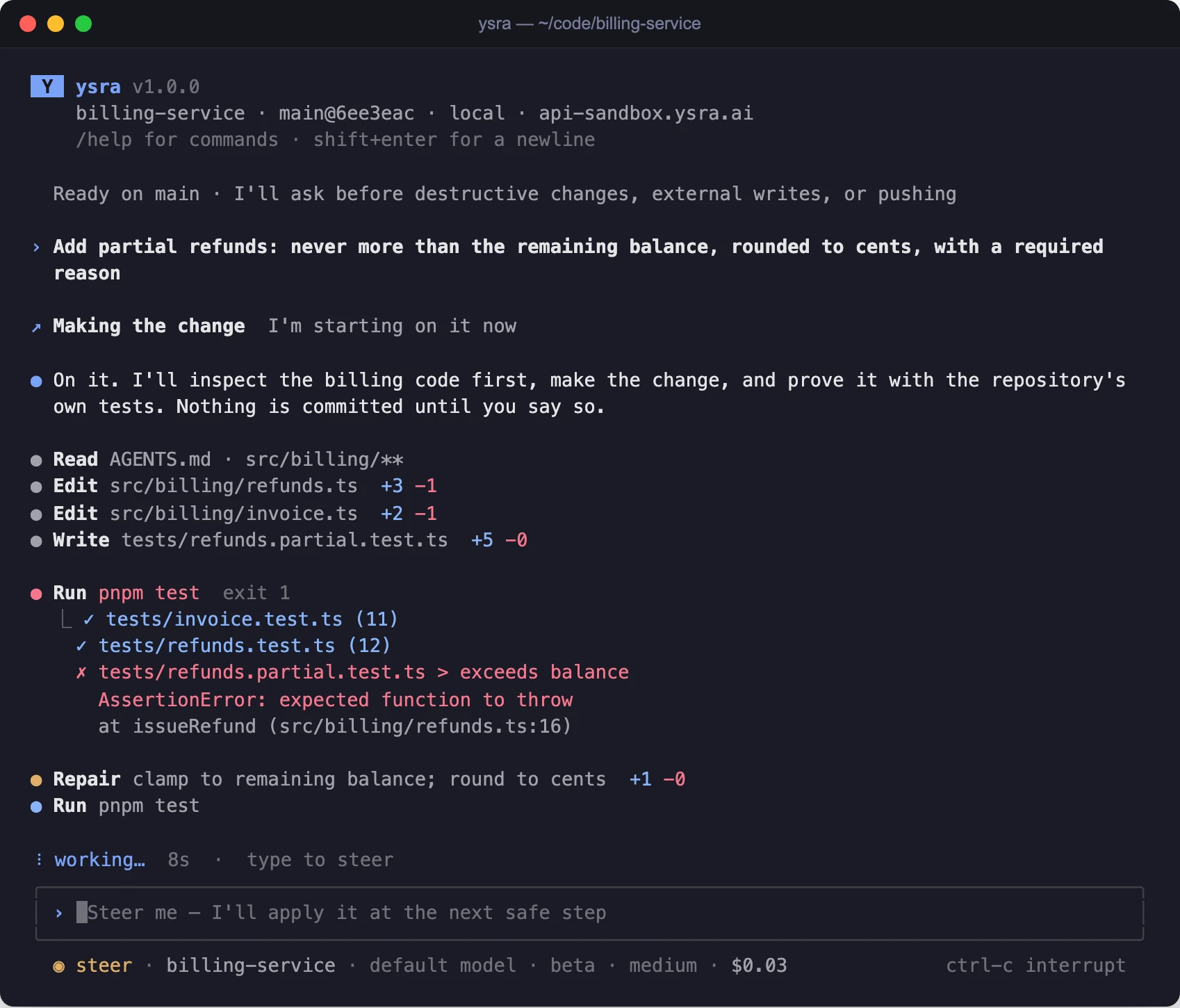
The working timeline during a change
Moving around
| Keys | Action |
|---|---|
| Mouse wheel, PgUp / PgDn, Shift+↑ / ↓ | Scroll |
| Esc | Back to live |
| ↑ / ↓ with an empty message box, then Enter | Select a step and open it (full diff or output) |
| Tab | Complete a slash command |
Prefer your terminal's own scrollback, search and copy? Start with
ysra --inline.
When I ask for your OK#
I stop and ask before:
- deleting a file I didn't create in this task;
- anything that reaches outside your folder or computer: a deploy, a
publish, a push, creating something on a remote service. I show the exact
command and where it runs: "I'm about to run
netlify deploy --prodin this folder with your Netlify account. OK?" - a Git change you didn't ask for;
- installing or starting something on your machine (see Tools, setup and Docker);
- anything on a device or target that changes it.
Answer in the prompt that appears. "No", or no answer, means I don't do it.
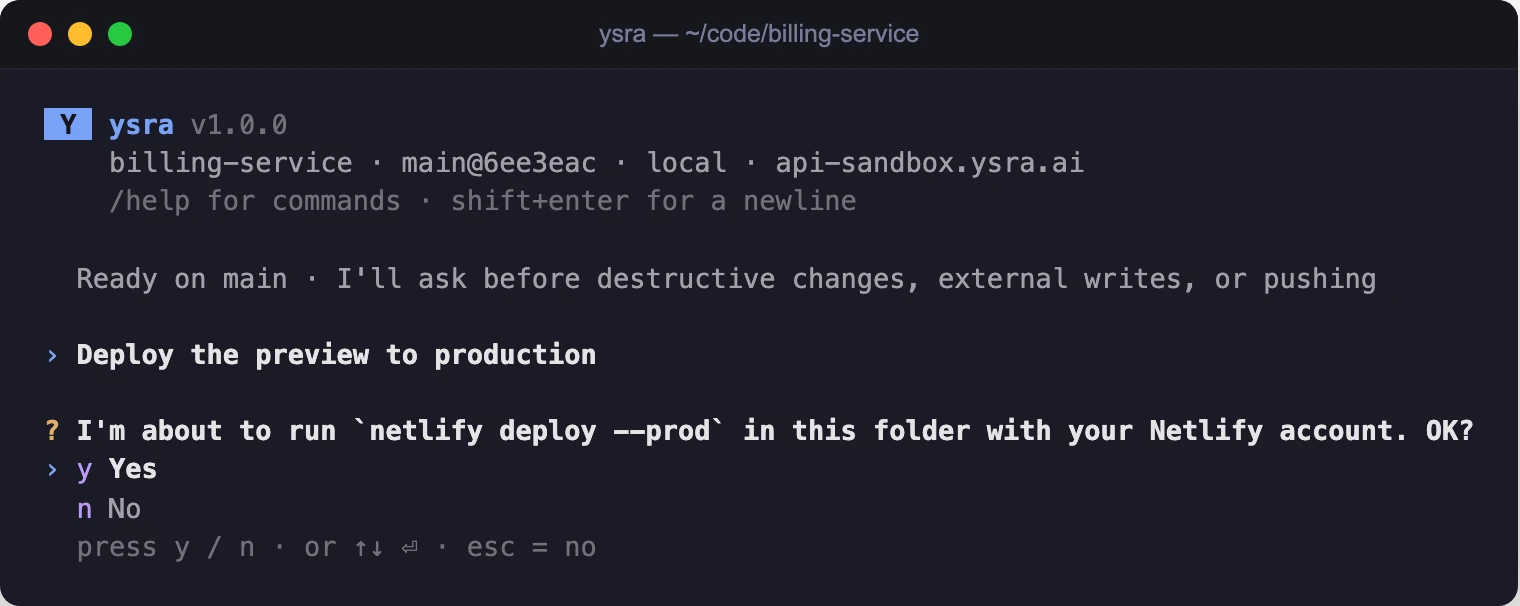
Asking before a deploy
Auto mode#
/auto on
/auto off
With auto mode on, I go ahead inside your folder without asking: starting work, editing files, running commands there.
Auto mode never covers:
- deleting anything;
- anything outside the folder or your computer (deploying, pushing, publishing);
- Git changes you didn't ask for;
- installing or starting tools, and the Docker OK;
- any change on a device or target.
With auto mode off, I ask before starting work that costs money.
Stopping and pausing#
/cancelstops what I'm doing and keeps the conversation.- If you close Ysra while I'm working, I pause: "I paused because Ysra was
closed on this folder — open it to continue." Run
ysrathere again and I carry on from the same place.
Your balance#
There are no per-task budgets to set. Work draws from your account balance.
The only time I bring money up is when it runs low: "Your balance is low — top
up to continue." /cost shows what this conversation has used.
Next#
-
Keep my work, or put everything back.
-
What I may install or start, and how I ask.
-
Every command and slash command.