Ysra Desktop
The desktop app for macOS, Windows and Linux — work on a folder on your own computer, follow every step, and approve what matters in a window.
On this page
The desktop app lets me work on a folder on your own computer. You describe what you want; I read the code, change it, run your checks and show every step. Nothing is committed, pushed or deleted without you.
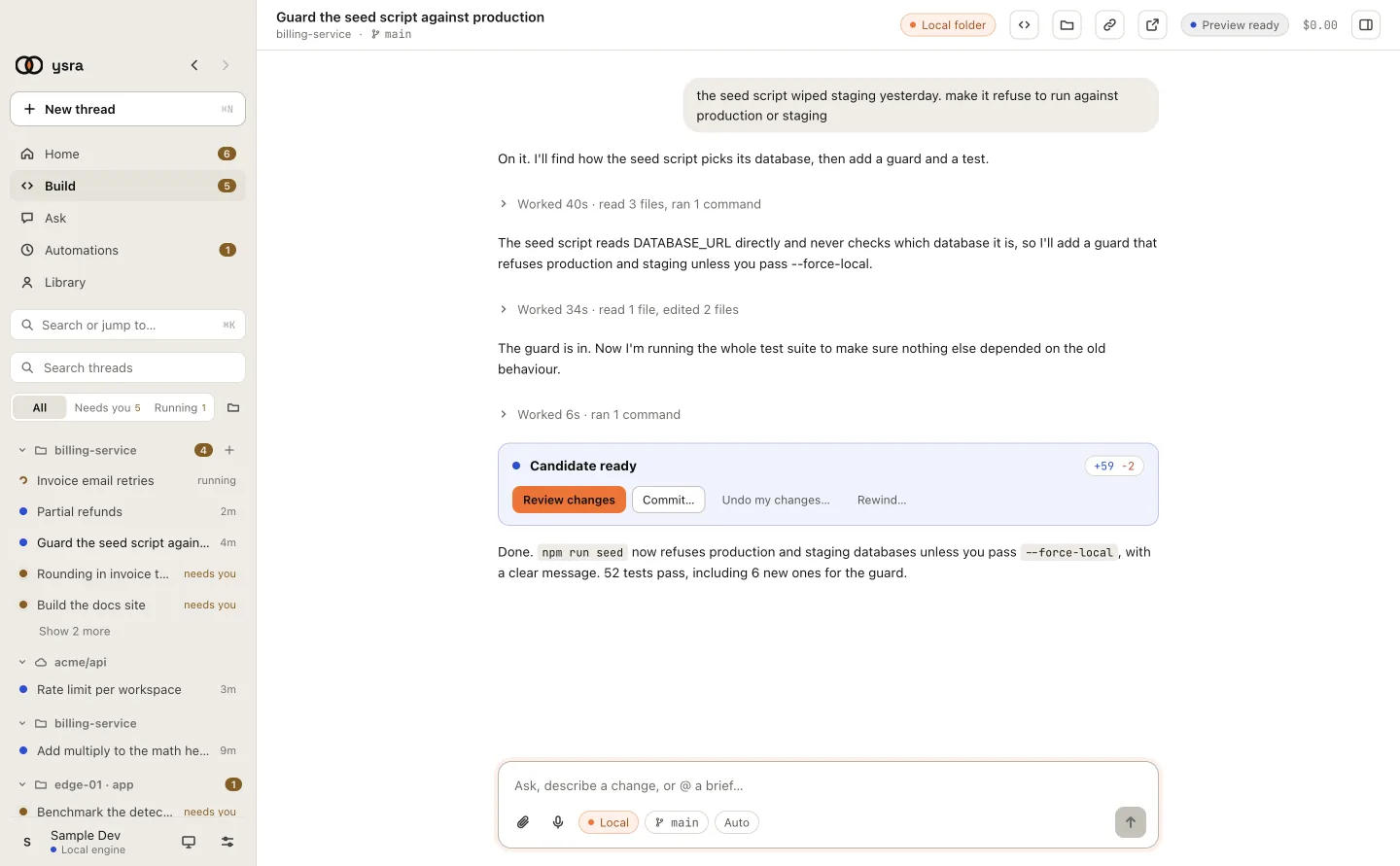
A thread: what you asked, what I did, and the finished change.
Start here#
-
Downloads for macOS, Windows and Linux, and first launch.
-
Sign in, open a folder, first change, in five minutes.
-
The trust sheet, folders without Git, parallel copies.
The app at a glance#
The sidebar has five modes:
| Mode | What it's for |
|---|---|
| Home | What needs you, what's running, what just finished |
| Build | Threads that work on a folder. This is what these pages cover |
| Ask | Questions answered with sources |
| Automations | Jobs that run on a schedule or on demand, with approvals |
| Library | Experts, memory and files |
In Build, threads are grouped by folder. Needs you and Running filter the list; Search or jump to… (Cmd+K) finds anything.
Working with me#
-
Questions, changes, briefs, attachments, steering.
-
How to read what I'm doing, step by step.
-
What I always ask first, and what auto mode covers.
-
Stopping, pausing, and picking up again.
Your changes#
-
See exactly what changed, and comment on lines.
-
New or existing branch, never forced, your CI read back.
-
Put everything back exactly as it was.
Beyond this folder#
-
Missing tools, with your OK and nothing hidden.
-
Work on servers and edge devices from this window.
-
When something doesn't work, and where the record is.
What I promise on your computer#
- I work only in the folder you opened.
- Commands run contained to that folder; anything that reaches outside your computer asks first, every time.
- Your secret files are never read.
- Undo is exact.
The details are in Security on your machines, on the Platform tab.