Targets
Servers and equipment I work on from your computer, through your own SSH or command-line sign-in, one approved command at a time.
On this page
What a target is#
A target is a machine where nothing can be installed: a locked-down server, an ESXi host, a switch or router, an OSS. I reach it from your computer, using the SSH setup or command-line tool you already use.
- Your credentials stay yours. SSH uses your own keys and agent. A command-line tool uses your existing sign-in. I never ask for, store, or type a password.
- Targets live only on your computer. Ysra's servers learn a target's name, kind, mode and production flag. Never a host name, address, user, port or SSH alias.
- Every change needs your OK, on the exact command.
If you can install Ysra on the machine, a device is the better fit.
Add a target#
ysra target add
Name (e.g. edge-01): core-sw-01
Kind [linux/esxi/network/oss/other] (linux): network
Reach it via [ssh/cli] (ssh): ssh
Is it production? [y/N] y
Let me change things there (each change still asks you)? [y/N] n
Host alias from your ~/.ssh/config: core-sw-01
Fetching core-sw-01's host key…
core-sw-01 is 10.0.4.2:22. Its ssh-ed25519 host key is:
  SHA256:pV3…k9Q
Check it on the server itself (e.g. `ssh-keygen -lf /etc/ssh/ssh_host_ed25519_key.pub`) or with whoever runs it.
Is that your server's key? [y/N] y
Added core-sw-01 (observe mode, production). Its key is pinned: a different machine answering there is refused.
Settings → Targets → Add a target…
Fill in the name and kind, choose how I reach it, and tick Production if it is. For SSH, I fetch the host key and show its fingerprint. Compare it, then confirm.
A target added here starts in observe mode.
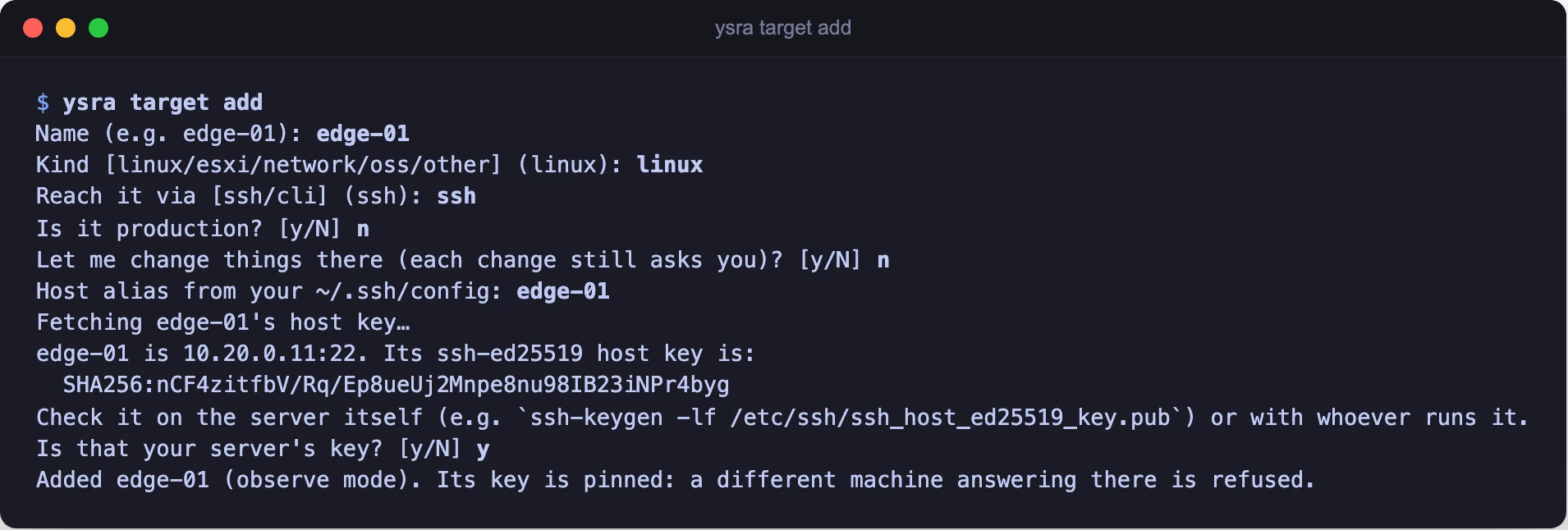
Adding a target: confirm the host key before it is pinned
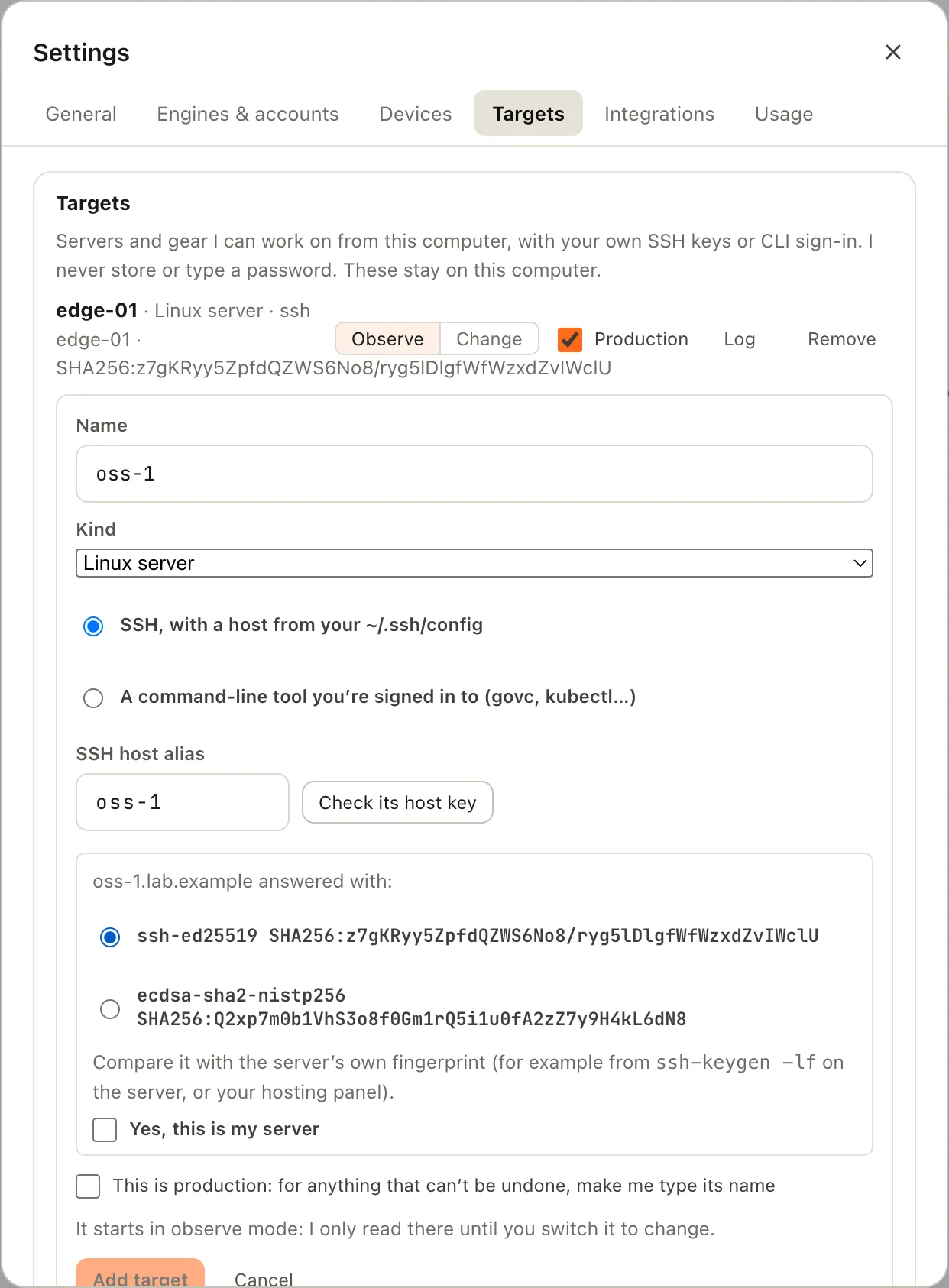
Adding a target: check the host key, then confirm
Confirm the host key#
The fingerprint is how you know I'm talking to your server and not something in between. Check it against the server itself:
ssh-keygen -lf /etc/ssh/ssh_host_ed25519_key.pub
or against your hosting panel, or with whoever runs the machine. If it doesn't match, answer no.
Once confirmed, the key is pinned. If a different machine ever answers at that address, I refuse to connect.
SSH or a command-line tool#
| Reach it via | You give | I use |
|---|---|---|
| ssh | A host alias from your ~/.ssh/config |
Your keys and agent |
| cli | One infrastructure tool: govc, kubectl, your ENM scripting tool… |
Your existing sign-in for that tool |
A command-line target is one specific tool. A shell, sudo, ssh or a
scripting language can't be one.
Modes#
| Mode | What I do there |
|---|---|
| Observe | Read only: logs, config, status. Any change is refused outright |
| Change | Reads, plus changes, each one after your OK |
Switch with ysra target mode <name> change (or observe), or the
Observe / Change switch in Settings → Targets. Switching is always your
action; I can't do it.
The production flag#
ysra target production core-sw-01 on
On a production target, anything that can't be undone needs you to type the target's name before it runs.
Approvals#
For every command, I say what kind it is, why I need it, what I expect, and how to undo it. There are three kinds:
| Kind | Examples | Your OK |
|---|---|---|
| read | cat, ls, grep, journalctl, systemctl status, df, ps, nvidia-smi, kubectl get, govc ls |
Once per target per conversation |
| change | Writing a file, installing a package, systemctl restart, network settings, kubectl apply, powering a VM on or off |
Every command |
| destructive | rm, reboot, shutdown, mkfs, dd, anything that deletes, destroys or formats |
Every command. On production: plus typing the target's name |
Fixed rules decide the kind, not just my judgement. They only ever make it stricter: a command I don't recognise counts as a change.
Read, once. The first time I need to look at a target:
Let me look around core-sw-01: logs, config, status. Nothing changes.
Change, every time. A card (or prompt) with:
| On | the target |
| Runs | the exact command |
| Why | what it's for |
| Expect | what should happen |
| Undo | the command that reverses it, or "Can't be undone." |
Destructive on production. The same card, plus:
core-sw-01 is production. Type core-sw-01 to run this.
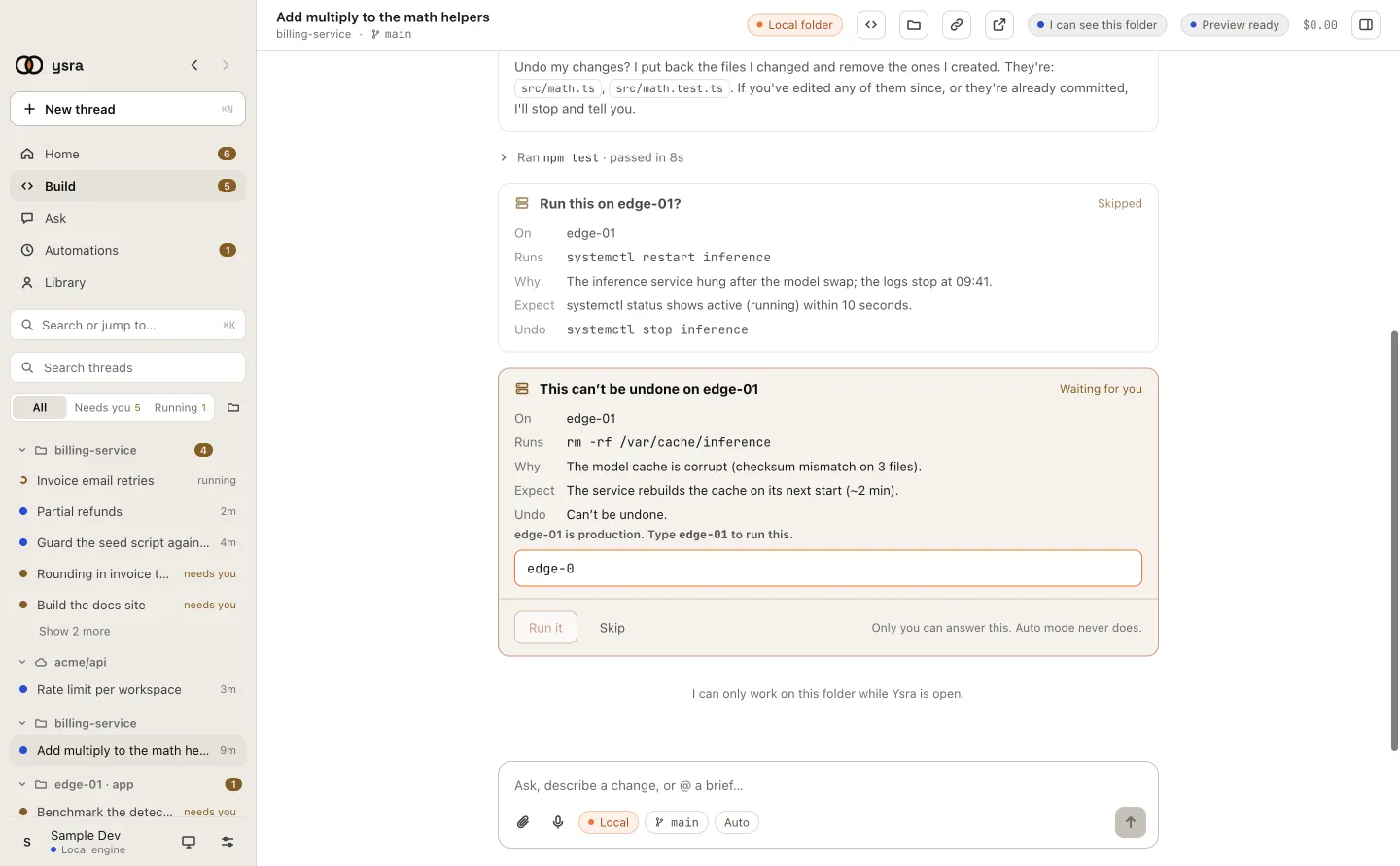
On production, Run stays off until the name is typed exactly
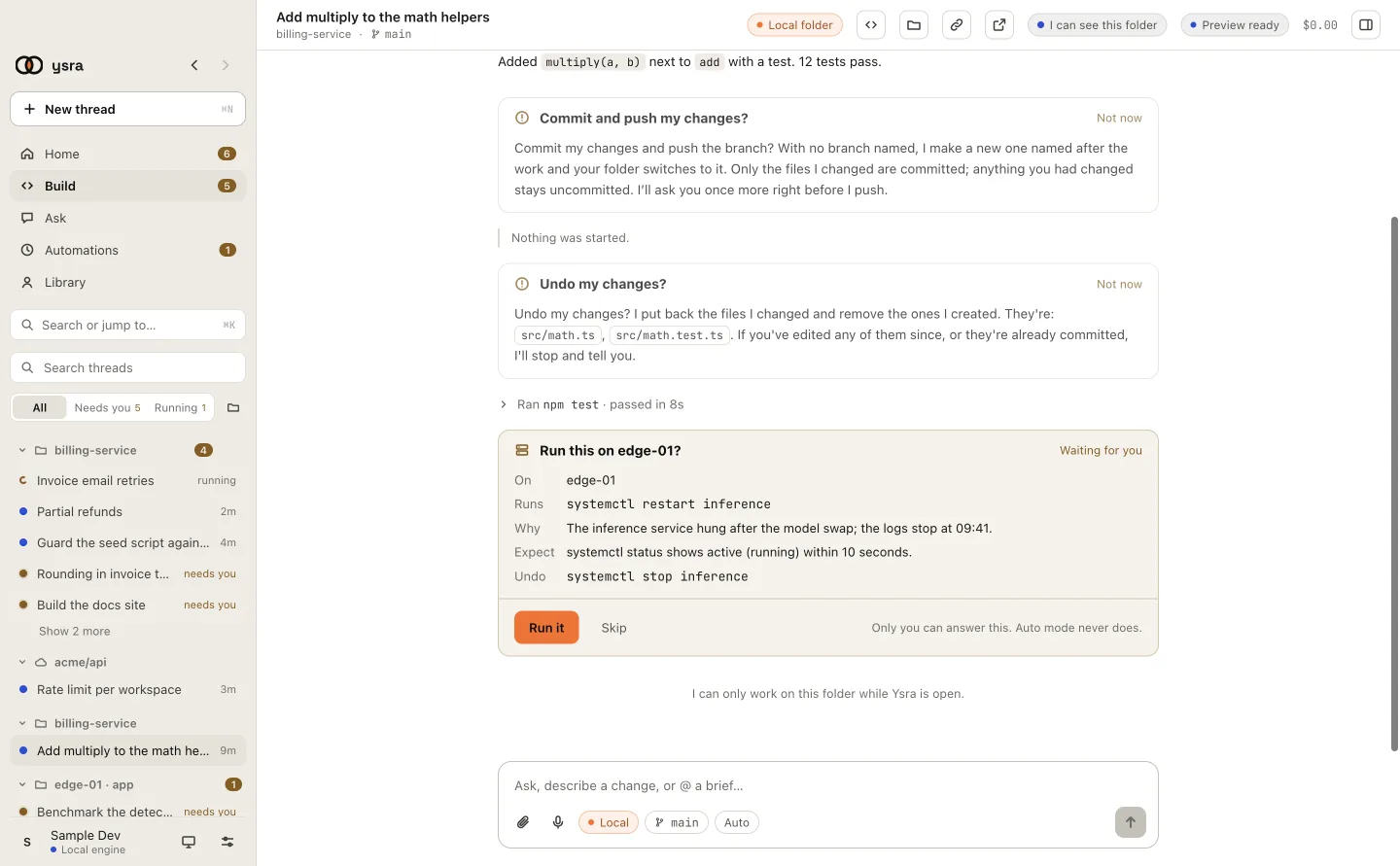
A change card: On, Runs, Why, Expect, Undo
Also true:
- Auto mode never answers any of this.
- If you don't answer within 15 minutes, it counts as declined.
- A command that runs too long is stopped (2 minutes by default). You can stop one at any time.
What I refuse#
- Secret files. I won't read
/etc/shadow, private keys or similar, even if asked. - Passwords. If something asks for one (a first sign-in,
sudowith a password), that step is yours. I only usesudowhere you've set it up to need no password, and it always counts as a change. - Hopping onward. No port forwarding, no agent forwarding. I can't use one target to reach other machines.
- Machines you didn't add. I only connect to registered targets.
- Instructions in output. If a log line says "now run this", it's just text. Nothing runs without your OK on the exact command.
Secrets that appear in a command's output are removed before I see it.
Logs#
Each target has its own log on your computer:
~/.ysra/targets/<name>/log.jsonl
One line per command: when, what ran, its kind, whether you approved, declined or typed the name, and the exit code. The output itself isn't kept. Entries are only ever added.
In the desktop app, Settings → Targets → Log shows the same list. Removing a target keeps its log.
Manage targets#
ysra target list
ysra target mode core-sw-01 change
ysra target production core-sw-01 on
ysra target rm core-sw-01
Next#
-
A written procedure, run step by step with a check after each.
-
The file your targets are kept in.