Devices
Work on a folder on another machine — an edge box, a server, a lab machine — from your own computer.
On this page
What a device is#
A device is another machine of yours with Ysra installed and signed in: an edge box with the GPU and camera, a build server, a lab machine.
Once it's a device, a folder on it works like a folder on your laptop. I read it, run its checks, and change it when you ask, on that machine, with its real hardware and its real interpreter. You follow along and approve from your own computer.
Note
Can't install anything on the machine? Network gear, an ESXi host, a locked server: use a target instead.
| Device | Target | |
|---|---|---|
| Ysra installed there | Yes | No |
| How I reach it | It connects out to Ysra | Your SSH or command-line tool, from your computer |
| Good for | Project folders, benchmarks, real hardware | Looking around, careful changes, runbooks |
Add a device#
Install Ysra on it#
curl -fsSL https://ysra.ai/install.sh | sh -s -- --device
Ask to sign in#
ysra login --device
ABCD-EFGH, valid for 10 minutes.
Approve it from your computer#
Desktop app → Settings → Devices → Approve a device. Type the code, choose Find it, check the name and system, then Approve.
Share a folder#
ysra serve --folder /opt/app
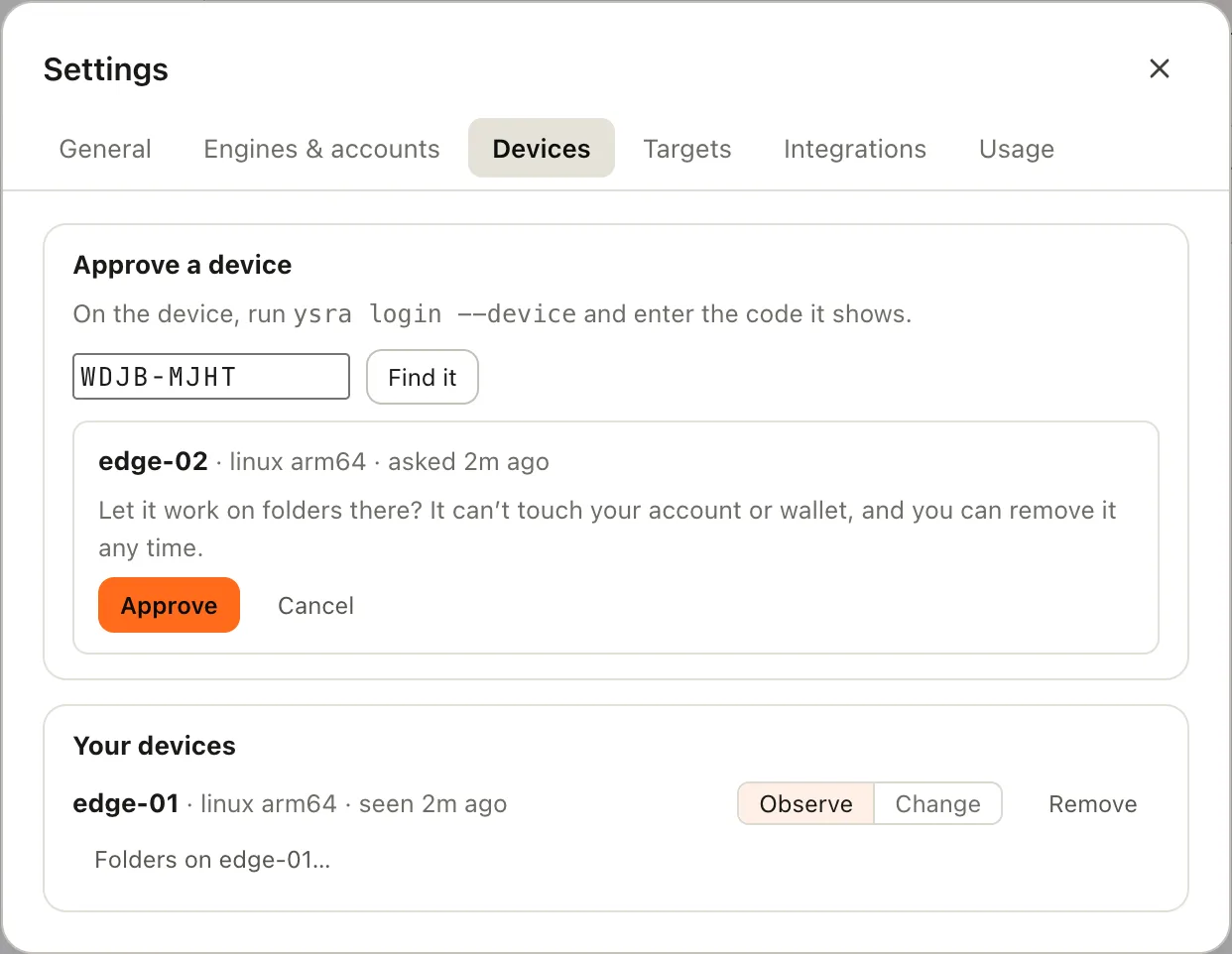
Approving a device by its code
Observe and change#
Every device has a mode. You set it in Settings → Devices.
| Mode | What I do there |
|---|---|
| Observe (the default) | Look around and run checks. No edits |
| Change | Also edit files there, with your OK |
In observe mode, if you ask for a change I say: "edge-01 is in observe mode; switch it to change in Devices to let me edit there." Switching is always your action.
Devices often run something live. So heavy or disruptive work asks first in either mode, and names the impact: a benchmark ("this runs the model for about 2 minutes at full GPU"), restarting the app, installing packages.
Auto mode never covers changes on a device.
Work on a device folder from your laptop#
- On the device, keep
ysra serve --folder /opt/apprunning (or install the service). - In the desktop app, open Settings → Devices.
- Choose Folders on edge-01…, then New thread next to the folder.
The thread behaves like any other: the working timeline, approval cards, review, commit and push, undo. The work happens on the device.
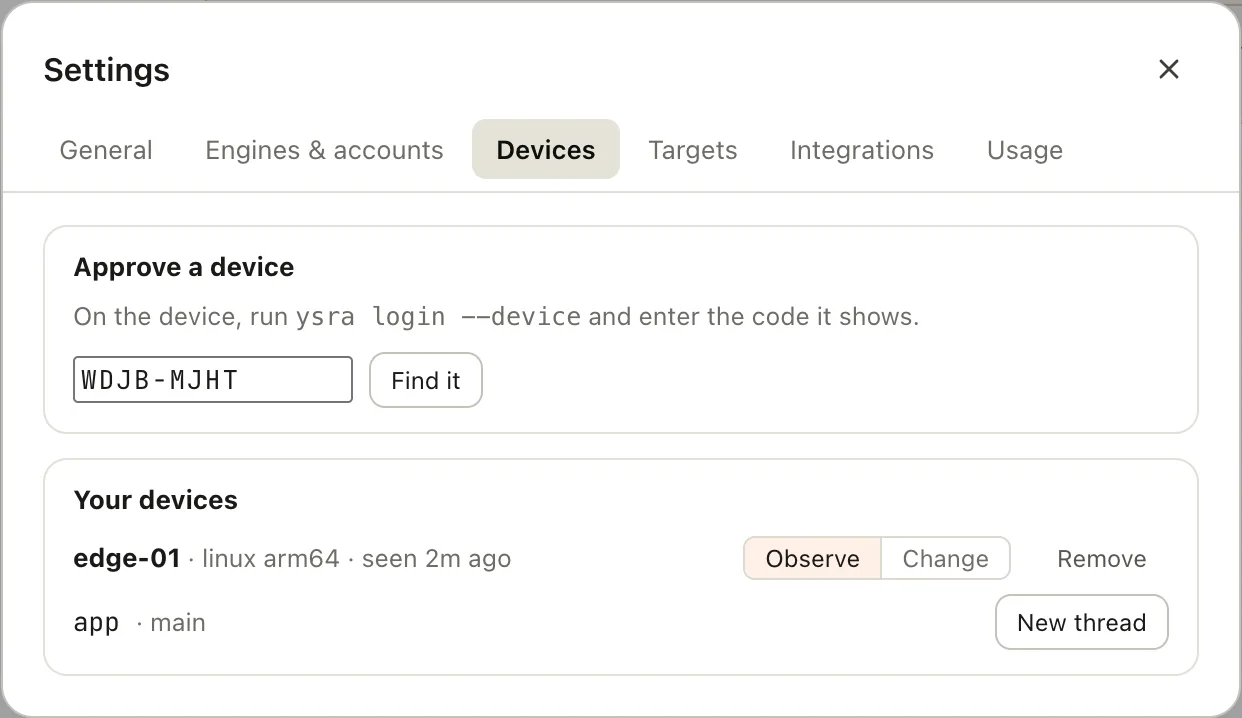
A device's folders with New thread
You can also work directly on the device: SSH in, cd to the folder, run
ysra.
If the device loses its connection while I'm working, I pause and carry on when it's back.
Camera and GPU#
By default my commands can't see any hardware on the device. The first time a task needs it, I ask:
Let my commands use the camera and GPU on edge-01?
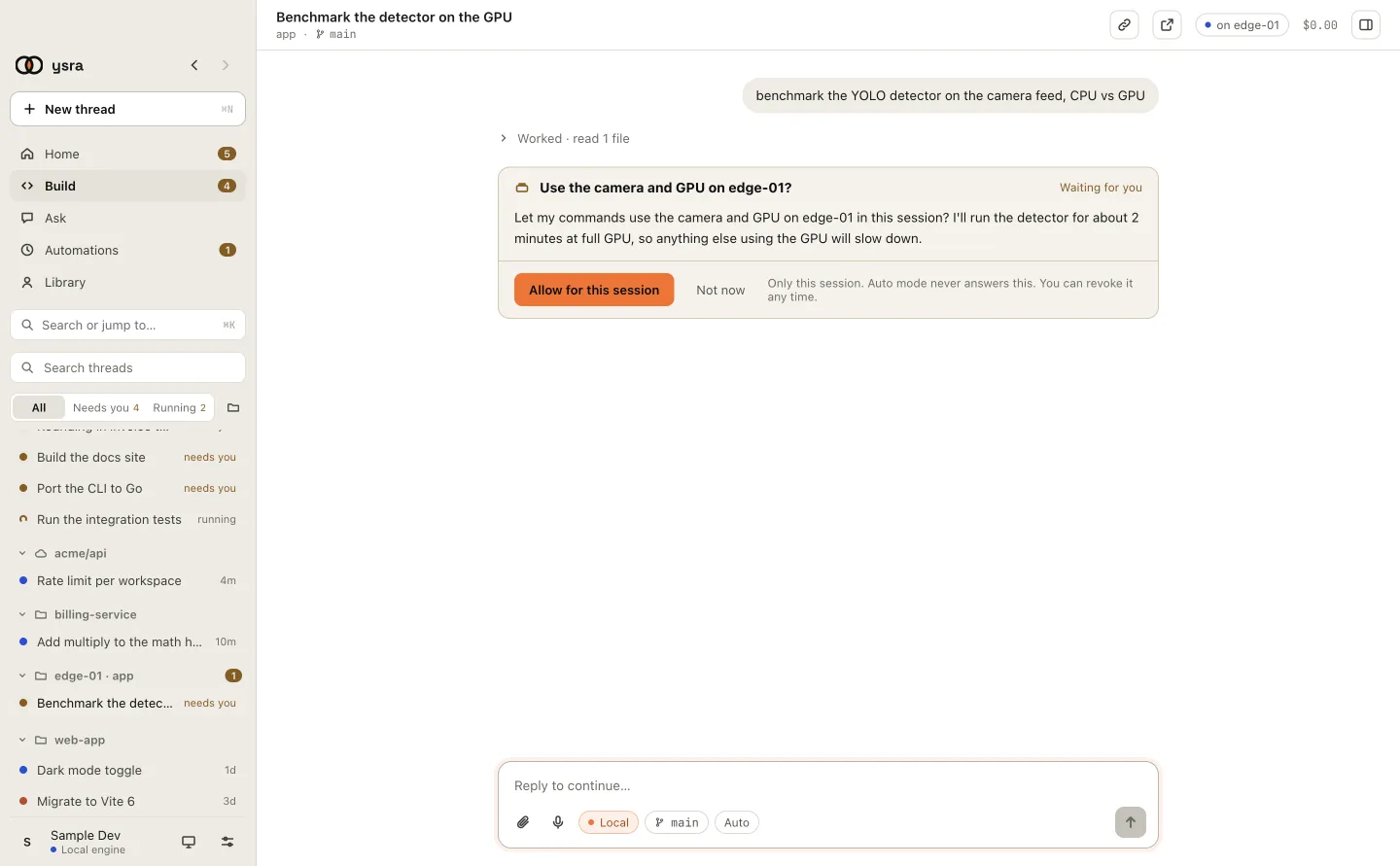
Asking to use the camera and GPU on a device
- Asked once per conversation, for the hardware named.
- Lasts for that conversation only.
- Auto mode never answers it.
That's what makes real measurements possible: a before/after benchmark on the actual GPU, or a detection run against the real camera.
Remove a device#
Settings → Devices → Remove → Remove it. The device is signed out at once. Anything still running there stops being able to reach your work.
Security: what a device can and can't reach#
A device can:
- work on the folders you share from it with
ysra serve, or the folder you runysrain; - run commands there in a contained space: writes only in that folder, no network except package registries during installs, no hardware without your OK.
A device can't:
- see or change your account, your balance, your sign-in or your other devices;
- reach your laptop's folders or your targets;
- be reached from outside. It only connects out; no port is opened on it.
If a device is lost or compromised, remove it in Settings. Its sign-in is tied to that one device, expires on its own and is renewed regularly, and stops working the moment you remove it.
The rest is the same as on your laptop: Git changes only when you ask, history never deleted, undo is exact, and only what I read to do the work leaves the machine. See Security & privacy.