Install the desktop app
Ysra for macOS, Windows and Linux: downloads and what to expect on first launch.
On this page
Current version: Desktop 1.0.0.
Downloads#
The links always point at the latest release.
| System | File |
|---|---|
| macOS, Apple silicon (M1 and later) | Ysra-mac-arm64.dmg |
| macOS, Intel | Ysra-mac-x64.dmg |
| Windows, 64-bit | Ysra-win-x64.exe |
| Linux, Debian and Ubuntu, 64-bit | Ysra-linux-amd64.deb |
Not sure which Mac you have? Apple menu → About This Mac. "Chip: Apple M…" means Apple silicon; "Processor: Intel" means Intel.
macOS#
- Open the
.dmg. - Drag Ysra into Applications.
- Open Ysra from Applications.
The app is signed and notarized with Apple. The first time you open it, macOS shows its usual question, "Ysra is an app downloaded from the internet. Are you sure you want to open it?" Choose Open.
The first time I work in a folder under Documents, Desktop or Downloads, macOS asks whether Ysra may access it. Allow it for the folders you want me to work in. Dictation asks for the microphone the first time you use it.
Windows#
- Run
Ysra-win-x64.exe. - Follow the installer. It installs for your user, lets you choose the folder, and adds Open in Ysra to the right-click menu for folders.
The Windows installer isn't signed yet, so SmartScreen shows "Windows protected your PC" with an unknown publisher. Choose More info → Run anyway.
Note
Running commands needs macOS or Linux. On Windows the app does everything else: I read and edit files in the folder you open.
Linux (Debian, Ubuntu)#
sudo apt install ./Ysra-linux-amd64.deb
Start it from your applications menu, or run ysra-desktop. The package never
installs a command called ysra, so it can sit next to the
CLI.
To let me run commands, the machine also needs bubblewrap, socat and
ripgrep:
sudo apt install bubblewrap socat ripgrep
Without them I still read and edit files; I just don't run commands.
First launch#
- Sign in with your Ysra account. If you already use the CLI on this computer, choose Use my ysra CLI login.
- Open a folder. I ask once whether you trust the folder before I read it.
- Ask or describe a change.
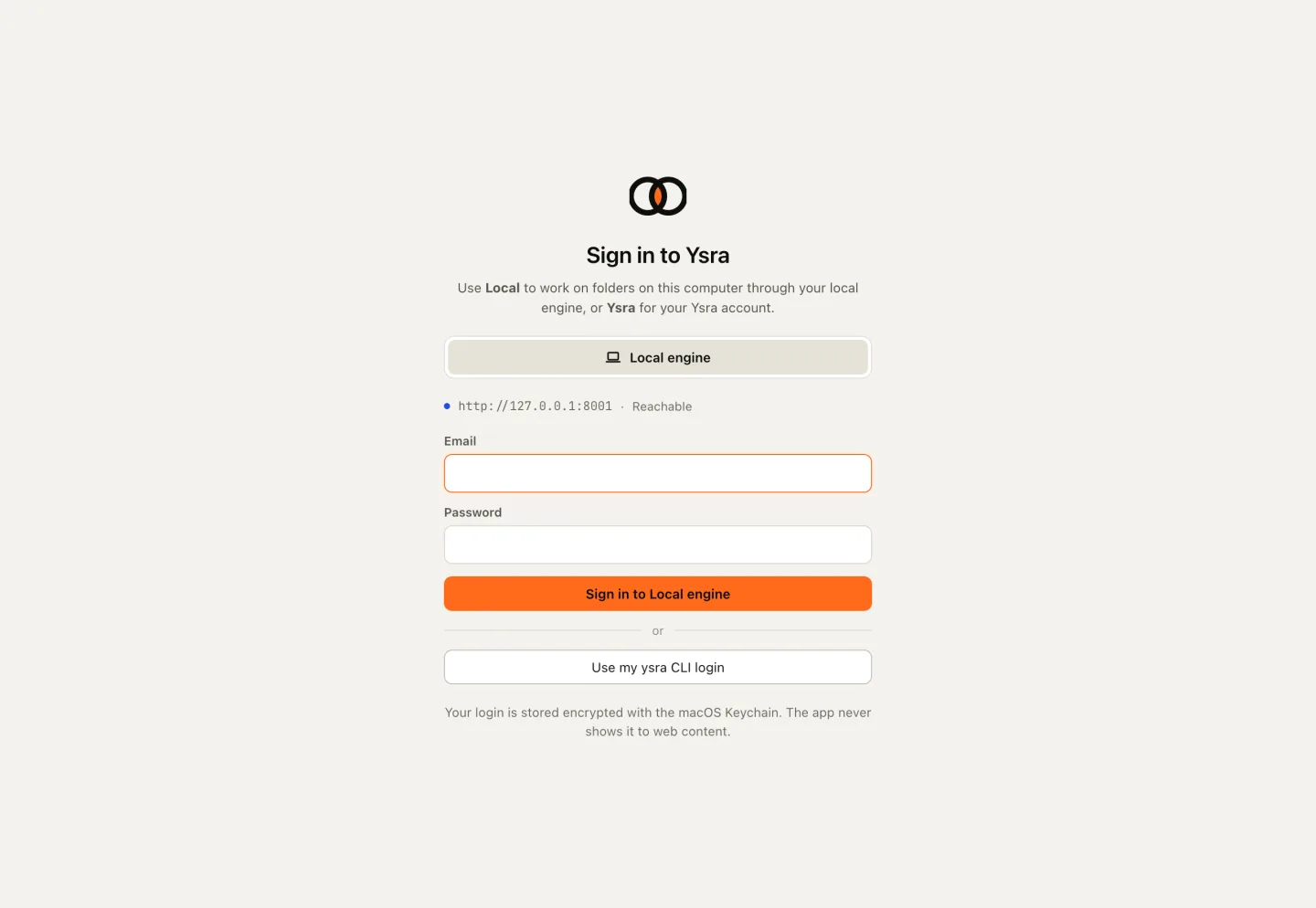
The sign-in screen
Continue with the desktop guide.
Update and uninstall#
Updates are never installed automatically; Settings shows a Download link when a newer version is out. For that, and for removing the app on each system, see Update and uninstall.
Next#
-
Sign in, open a folder, first change.
-
What the app does and where everything is.