A tour of Ysra
Where everything is in the Ysra portal — the sidebar, Build and Ask, sessions, the workspace pages — and the keyboard shortcuts that get you around.
On this page
Ysra runs in your browser (the portal) and on your phone. This page walks through the portal; see Mobile app for the phone.
The sidebar#
From top to bottom:
- Workspace switcher — the workspace you're in. Everything below belongs to it.
- Build / Ask — the two modes of the composer: Developer work or Knowledge questions.
- New session — start something new (Cmd+N / Ctrl+N).
- Sessions — recent sessions with their state; See all opens the full list with filters.
- Your account — your name and the wallet balance at the bottom.
Home#
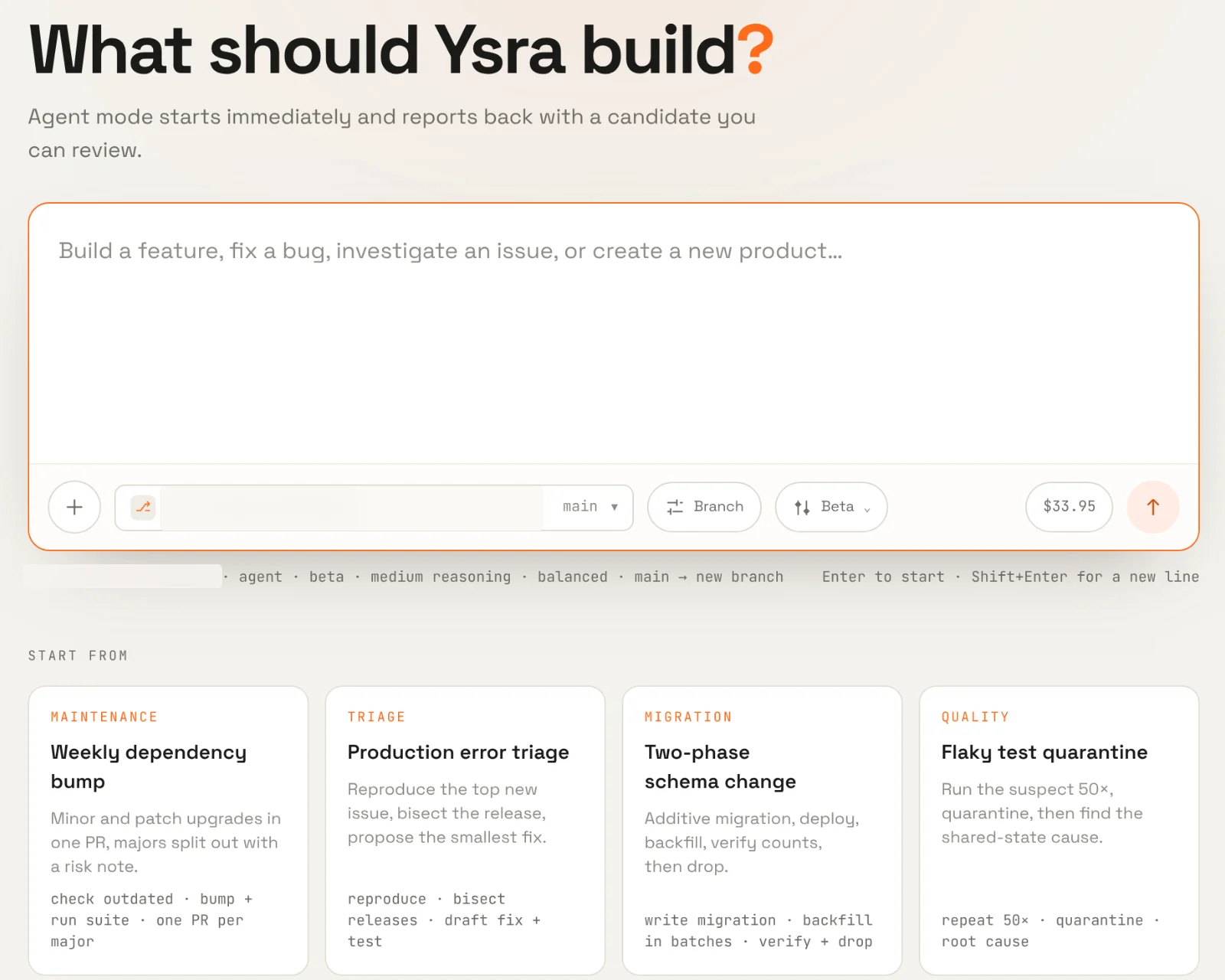
The home screen is the composer.
- In Build: What should Ysra build? — a brief, a repository, a branch, a quality level and a budget. Below it, Start from playbooks and Pick up where you left off. See Start a session.
- In Ask: What do you want to know? — who to chat with, which sources, and Answer or Deep dive. See Knowledge.
A session#
Opening a session shows the workroom: the conversation, a live canvas, and panels for Mission, Editor, Plan, Review, Checks, Shell and Audit.
Workspace pages#
| Page | See |
|---|---|
| Files | Workspaces and files |
| Rules & instructions | Rules and instructions |
| Playbooks | Playbooks |
| Experts | Experts |
| Memory | Memory |
| Workers | Workers |
| Projects | Projects |
| Integrations | Integrations |
| Wallet & usage | Wallet and usage |
| Account settings | Account settings |
| This workspace | Managing a workspace |
Keyboard shortcuts#
| Shortcut | Does |
|---|---|
| Cmd+K / Ctrl+K | Command palette: search sessions, repositories and playbooks, and jump anywhere. |
| Cmd+N / Ctrl+N | New session. |
| Enter | Send the brief or question. |
| Shift+Enter | New line in the composer. |
Layouts#
On a narrow window the workroom switches to tabs at the bottom, so the conversation and each panel get the full width.