Actions and approvals
How Knowledge proposes Slack messages and Jira changes, and why nothing runs until you approve the exact content — edit it, approve it, or reject it.
On this page
Knowledge can propose changes to Slack and Jira. It can never make them on its own. Every proposal appears as a card with the exact content; it runs only when you approve that exact content.
What can be proposed#
| Action | Details |
|---|---|
| Slack message | To a channel, private channel or person; optionally as a thread reply. |
| Create Jira issue | Project, summary, and optionally description, type, assignee, priority, labels, components, due date and parent. |
| Update Jira issue | Any editable issue fields. |
| Comment on Jira issue | Issue and comment text. |
| Move Jira issue | Issue and target status. |
The expert must have the matching capability — Propose Slack messages or Propose Jira changes.
Approve, edit or reject#
Each card has three buttons:
- Approve — the action runs through your connection, and the card shows the result: sent, created, or the error.
- Edit — change the content. An edited proposal is a new proposal; it waits for approval again.
- Reject — nothing runs.
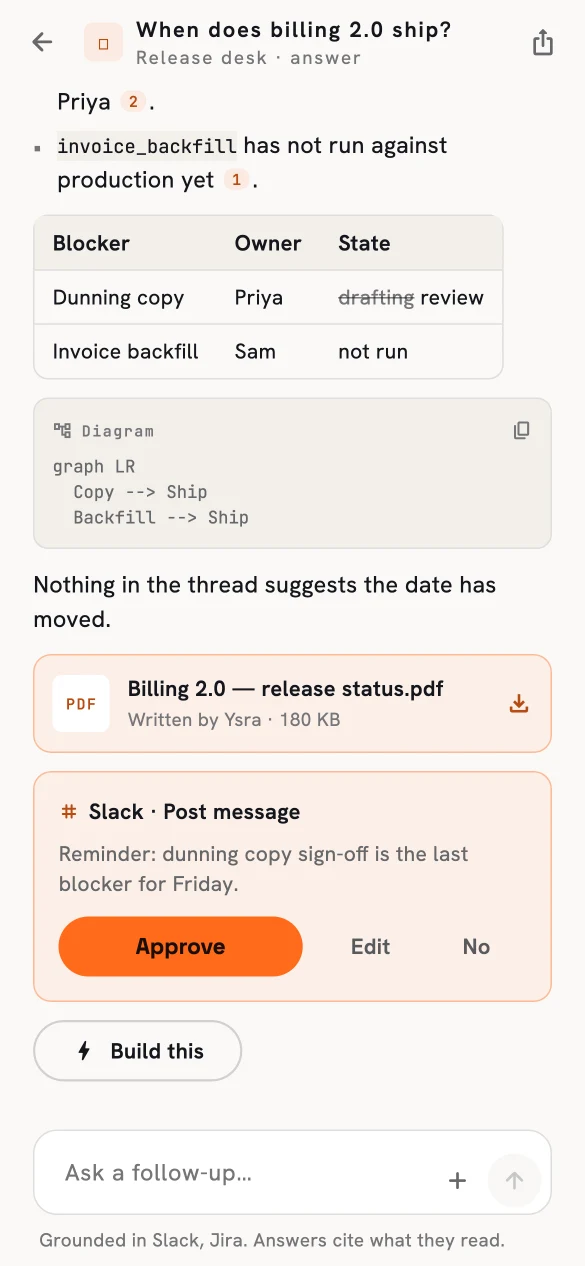
A proposed Slack post, waiting for approval.
Why you can trust an approval#
- An approval covers one exact payload. Change a single character and it's a different proposal needing a new approval.
- Real identities, not guesses. Slack people and channels, Jira projects and issue keys come from your sources, from lookup, or from you — never invented.
- Nothing runs while the answer is being written. Proposals are prepared; execution happens only on approval.
Approve and reject from the portal or the phone. These are the only Knowledge controls that change anything outside Ysra.