Commit, push and undo
Commit, push and undo Ysra's changes from the CLI with /commit, /push and /undo, and know when Ysra asks or refuses.
On this page
Commit, push and undo are the three ways to settle a change Ysra made in a folder: keep it in a commit, send it to the remote, or put the files back. Until you use one of them, Ysra’s change sits in the folder as ordinary edits. This page covers the rules of each; for the chat itself, see Work in a folder.
The rule#
A commit holds only the files Ysra changed, commits and pushes follow the thread's access mode, and undo puts back only what Ysra did. Your own uncommitted work is never committed, overwritten or lost, and commits Ysra didn't make are never rewritten.
While it works, Ysra may also commit and make branches with its own git tool:
in Auto it commits on a branch it made or on your current branch when that
isn't the default branch; committing on main asks first (“Commit on main?
Or I can make a branch first.”). In scripts, ysra exec --allow commit lets
it go ahead.
Look at the change first with /diff: Ysra’s latest changes, and everything
a commit would include.
Committing a change#
/commit
/commit fix: clamp partial refunds
/commit --branch refunds fix: clamp partial refunds
/commit --branch refunds --new
Or say it: “commit this on a new branch called refunds”.
| You give | Ysra does |
|---|---|
| No branch | Creates a new branch named after the work (ysra/…) and commits there |
--branch name, and it doesn’t exist |
Creates it and commits there |
--branch name, and it exists |
Adds its commit to it without switching your folder. If the changes conflict with that branch, Ysra stops, names the files and writes nothing |
--new |
The branch must be new. If the name is taken, Ysra stops instead of reusing it |
| A commit | Rule |
|---|---|
| Contains | Only the files Ysra changed. Your own uncommitted work stays where it is |
| Hooks | Run as usual; never skipped |
| Pushes | Never. /commit only commits |
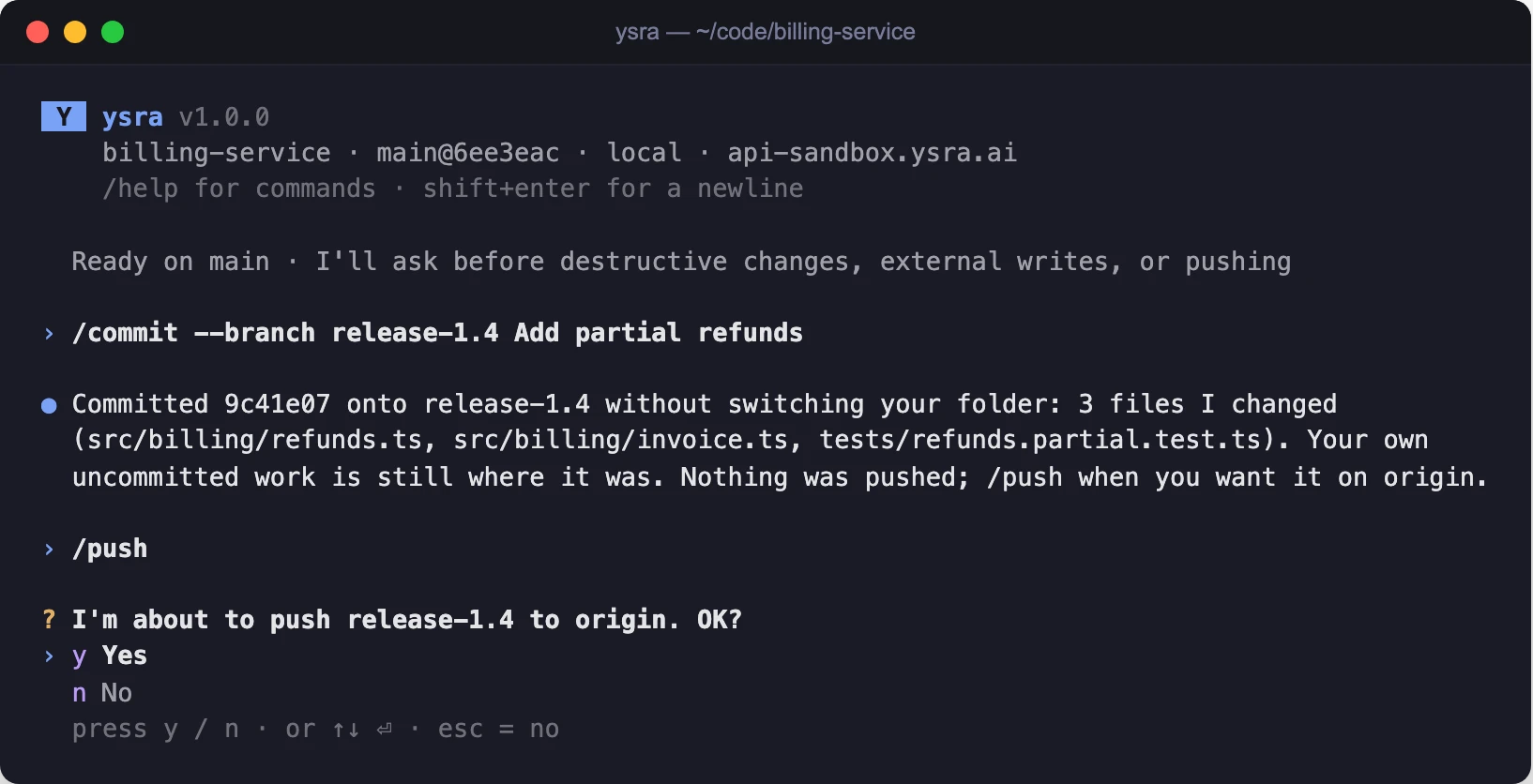
Committing onto an existing branch, then the question before a push
Pushing a change#
/push
/push --branch refunds
/push commits (same rules as above) and then pushes.
| Rule | Value |
|---|---|
| Asks before pushing | Yes, naming the remote and the branch, except in Auto for a branch Ysra made in this thread |
| The default branch | Asks every time, even in Auto |
| Which branches | Only a branch Ysra created or committed onto in this thread |
| Force push | Never. If the remote has moved ahead, the push is rejected and Ysra says so |
/deliver goes one step further on a hosted repository: it commits, pushes a
branch and opens a draft pull request, after asking.
Your CI, read back#
After a push, Ysra reads your repository’s own checks and reports in the thread:
| CI result | Ysra says |
|---|---|
| Passed | “Your CI passed on ysra/partial-refunds (4 checks green).” |
| Failed | “Your CI failed on ysra/partial-refunds: test. Want me to look into it?” |
| Can’t be read | That it can’t see your CI from here |
It reads with tools already signed in on the computer, gh for GitHub and
glab for GitLab, and only reads.
Undoing a change#
/undo
/undo puts back the files Ysra’s last finished task changed, after asking.
| File | After undo |
|---|---|
| A file Ysra edited | Back to what it was before the task started |
| A file Ysra created | Removed |
| Your own changes | Stay |
| Undo refuses when | Why | Instead |
|---|---|---|
| You edited those files since | It won’t overwrite your work | Undo by hand, or ask Ysra |
| The changes are already committed | History is never rewritten | Ask Ysra for a new commit that reverts it |
| Ysra is still working | — | /cancel first |
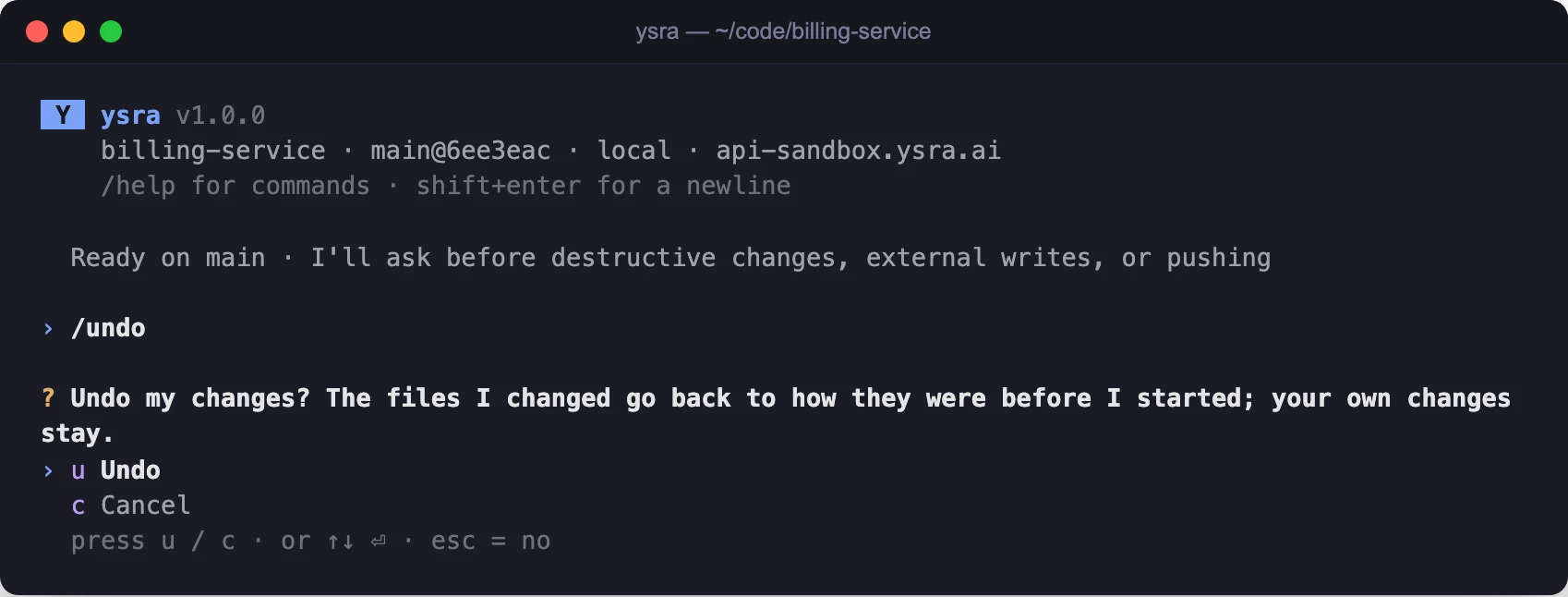
Undo asks first
To go further back, /checkpoints lists earlier points in the thread and
/rewind SEQ restores one; checks made after that point no longer count.
What Ysra never does in your Git#
Whatever it is asked:
- no force push;
- no deleting branches, tags or stashes;
- no
reset --hard,clean,rebase, or amending commits it didn't make; - no checking out over your uncommitted changes;
- no raw
gitcommands that write your repository: commits and branches go through Ysra's own git tool.
Ysra tracks its own work separately, outside the folder, so your history is never touched to make undo and diff possible.
If it doesn’t work#
| Symptom | What to do |
|---|---|
| The commit stopped and named files | The changes conflict with the branch named. Commit on a new branch, or resolve it yourself |
| The push was rejected | The remote moved ahead. Pull and merge yourself, or push to a new branch |
| No CI report after a push | Install and sign in to gh or glab |
| Undo refused | See the table above: edited since, already committed, or still working |
Related#
- Work in a folder — what Ysra does before it asks you to keep anything.
- Command reference —
/commit,/push,/undo,/checkpointsand/rewind. - How a Code thread works — saved points and what is kept in every end state.