Desktop quickstart
Sign in to the desktop app, open a folder, ask a question, get a first change made and review it, in about five minutes.
On this page
This quickstart gets a first change made on a folder on your computer and reviewed, in about five minutes. A question costs nothing beyond its answer; the change uses credits, and nothing is committed until you choose. Before you start: the app installed (Install the desktop app) and a Ysra account.
Steps#
Sign in#
Open Ysra and choose Sign in to Ysra with your browser, then Allow in the browser that opens.
| Or | When |
|---|---|
| Use a password instead | The browser doesn’t open, or you prefer a password |
| Use the ysra CLI login | You already use the ysra CLI on this computer |
Choose a folder#
On Home, click the folder on the line under the message box (it reads Choose a folder… the first time), then Other folder…, and pick a project folder. Any folder works, with or without Git. The note under the box says sending will trust this folder on this computer.
Ask a question first#
Type in the message box and press Enter. The thread starts:
explain how refunds are calculated
A question changes nothing. You get an answer and the files Ysra read.
Ask for a change#
add partial refunds: never more than the remaining balance, with a test
Asking for the change is the go-ahead. Ysra reads the code, edits it, runs your checks, and shows each step as it happens. When it’s done you see Your changes are ready, with how long it worked, such as “Worked for 3m”.
Review it, then decide#
Choose Review changes to see every file Ysra touched next to what it was.
| Then choose | What happens |
|---|---|
| Commit… | Keeps the change on a branch. See Commit and push |
| Undo changes… | Puts everything back exactly as it was. See Undo my changes |
| Nothing | The change stays in the folder as ordinary edits |
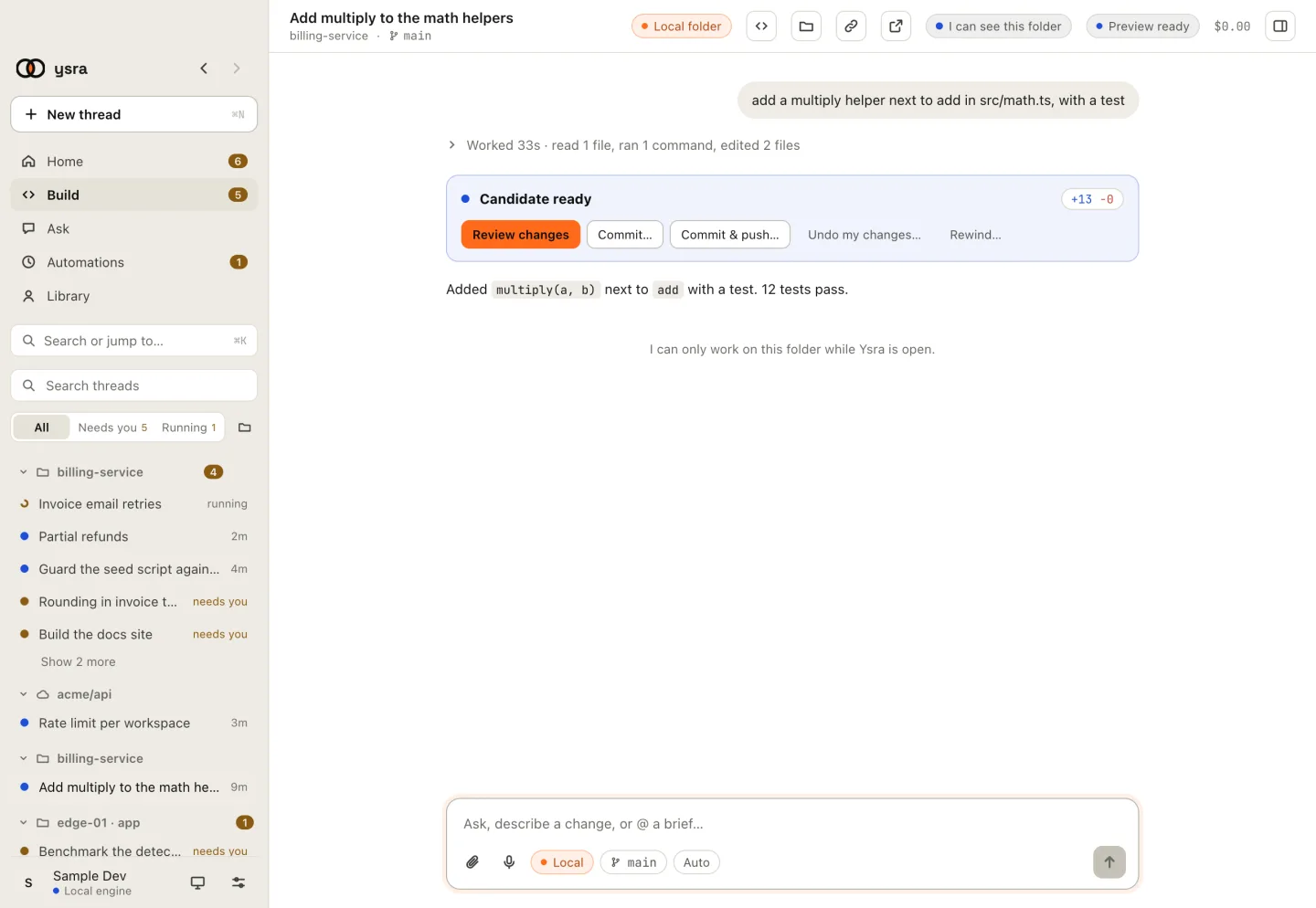
A finished change: review it, commit it, or undo it.
If it doesn’t work#
| Symptom | See |
|---|---|
| Signing in doesn’t finish | Troubleshooting: sign-in |
| The folder can’t be chosen (home folder, whole disk, system folder) | Folders Ysra won’t use |
| I can’t run commands on this computer yet | Troubleshooting: commands are blocked |
| The task ends Didn't work | How a Code thread works |
Related#
- Start a thread: every option in the message box, and the cloud.
- Approvals and auto mode: what Ysra always asks before doing.
- The working timeline: reading the steps as they happen.
- Commit and push: branches, pushing, and your CI.