Previews
Open the running version of a change in your browser from the desktop app, before anything is committed.
On this page
When a change produces something you can open — a web page, an app with a dev server — I can start it so you can look at it before you commit.
Open a preview#
The thread header shows a chip when there's something to see:
| Chip | Meaning |
|---|---|
| Draft preview | You can open the page while I'm still polishing it |
| Preview ready | It's built. Take a look while I check it |
Click the chip. The review pane opens on Preview:
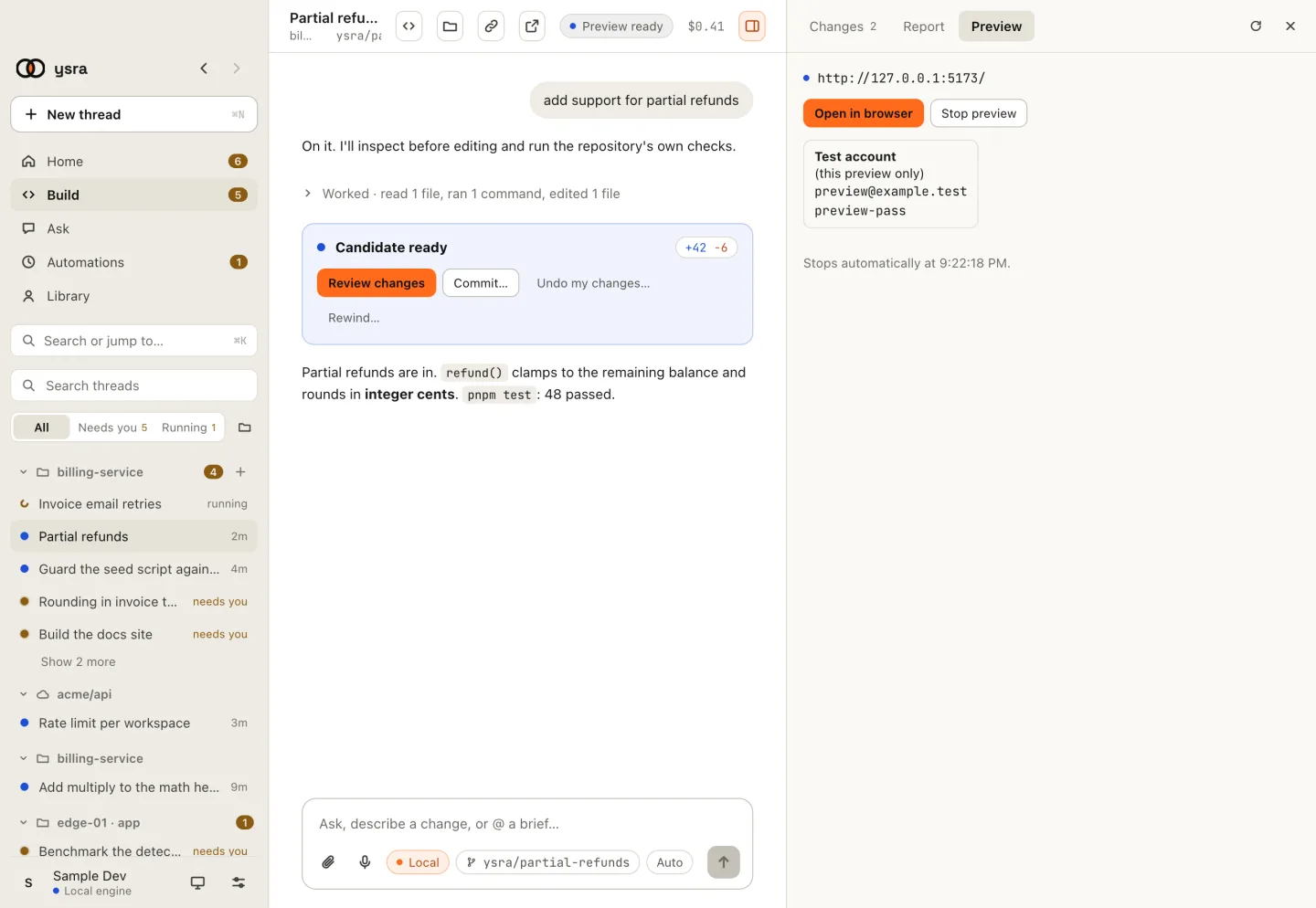
A running preview: its address, and when it stops.
Choose Start preview. I start this version's own dev server on your computer and show its address. Open in browser opens it in your browser; Stop preview ends it.
- Nothing is committed by previewing.
- The preview runs on this computer, at a local address.
- It stops by itself at the time shown.
- If the app needs an account, the tab shows a Test account made for this preview only. Use that, not real credentials.
A preview is available once there's a finished change to preview.