Review the diff
See exactly what Ysra changed before you keep it — the Changes, Report and Preview tabs, line comments, and opening files beside the thread.
On this page
Nothing I change is kept until you decide. Review is where you look first.
Choose Review changes on a finished task, or press Cmd+Shift+D (Ctrl+Shift+D on Windows and Linux) to open and close the review pane.
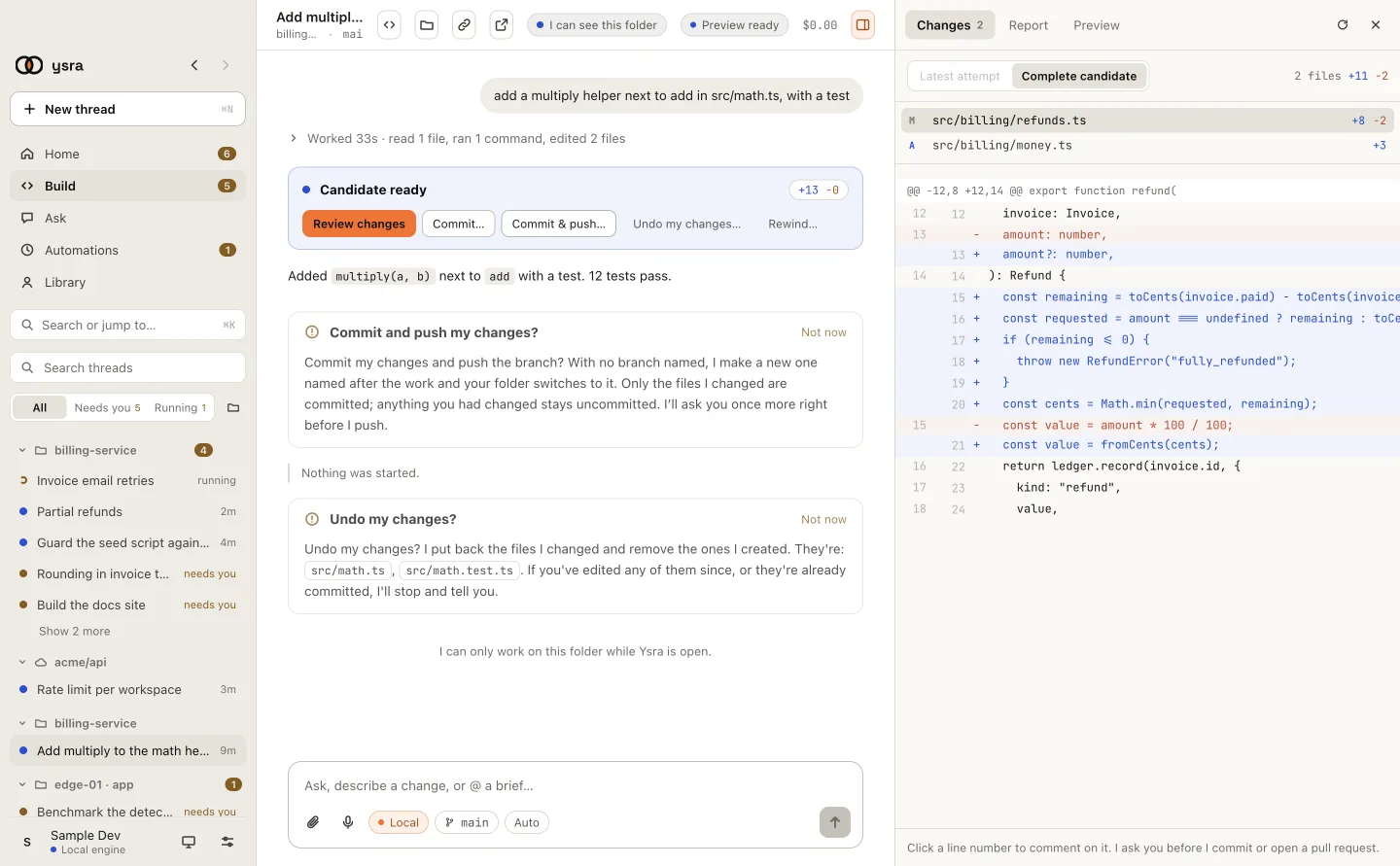
Every file I changed, next to what it was.
Changes#
The file list shows each file with the lines added and removed. Click one to see its diff.
| Scope | Shows |
|---|---|
| Latest attempt | Only what my most recent attempt added |
| Complete candidate | Everything a commit would contain |
Use Complete candidate before you commit: it is exactly what goes in.
Comment on a line#
Click a line number, type what should change, and choose Add comment. Comments collect at the bottom: Send to Ysra sends them all as one request, Discard drops them. I revise the change and you review again.
Report#
The Report tab appears once a change has been checked. It lists:
- Result and Acceptance: which of your points are met;
- Repository checks: each command I ran and whether it passed, failed, or was not verified;
- Browser: what I checked in a running version, when there was one.
Preview#
The Preview tab starts the changed version so you can open it in your browser. See Previews.
Open a file beside the thread#
Click a file name anywhere in the thread to read it next to the conversation. Open in editor opens it in your own editor; Reveal shows it in your file manager.