Machine setup
How Ysra gets your computer ready when a tool is missing, stopped or signed out — one proposal at a time, with its side effects shown before you agree.
On this page
When a step is blocked by something on your computer, I pause the task and propose exactly one thing.
The setup card#
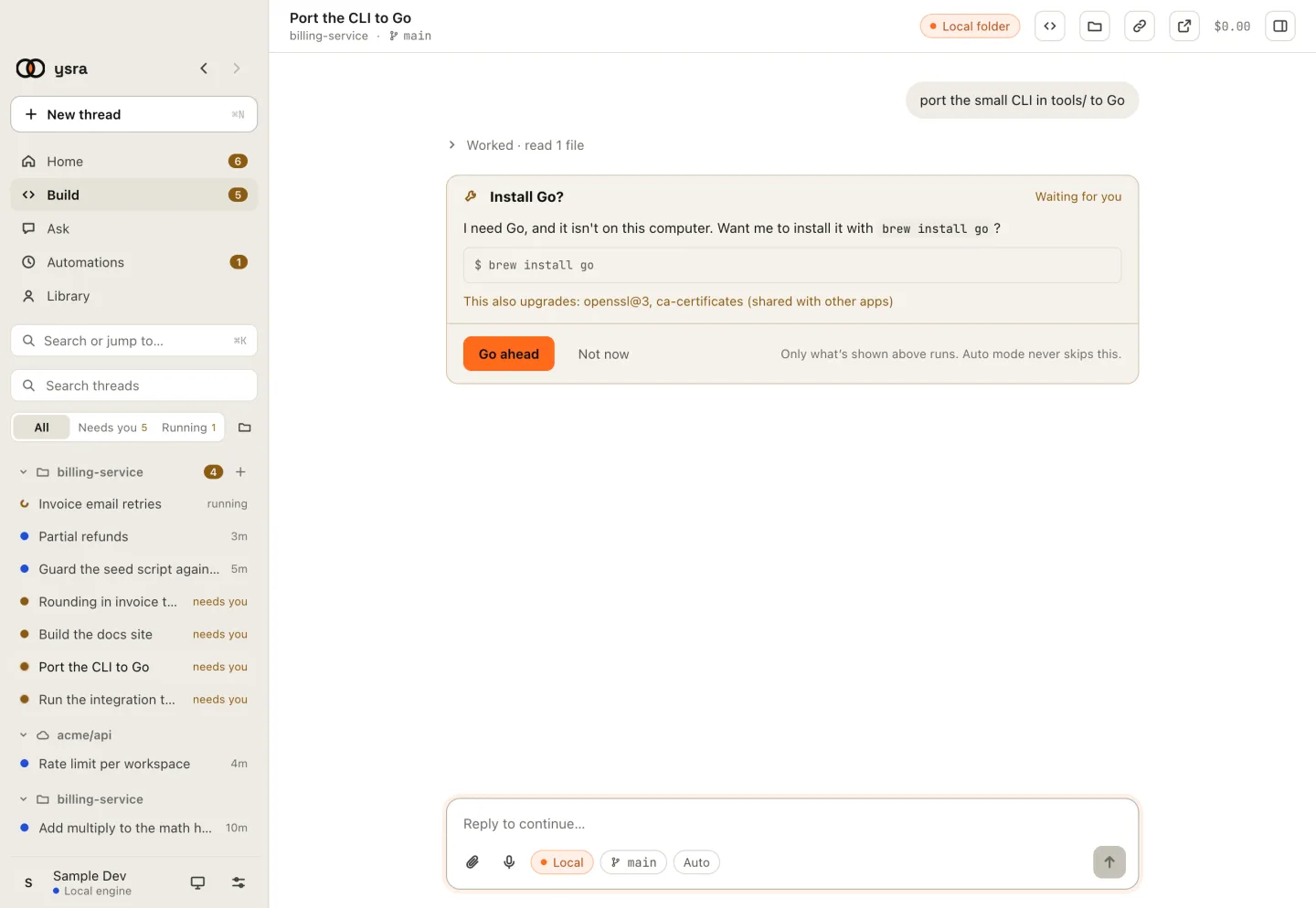
What would run, and what else it would change.
| Situation | Card | Answers |
|---|---|---|
| A tool isn't installed | Install Go? | Go ahead · Not now |
| A tool is installed but not running | Start Docker? | Go ahead · Not now |
| A tool isn't signed in | Sign in to … | I've done it · Show me how |
The card shows the exact command. Only what's shown runs.
Side effects, before you agree#
If the step would change anything else, the card says so first:
This also upgrades: openssl@3, ca-certificates (shared with other apps)
It also installs: …
Read that line. Those are shared with other apps on your computer.
What I can and can't do#
| I can, with your OK | I never do |
|---|---|
| Install with your package manager (Homebrew, winget, Scoop) | Use sudo |
| Download an official build and verify its checksum | Run an installer that needs your password |
| Start an app or a service | Remove or uninstall anything |
| Sign in for you, or handle your passwords |
When signing in is needed, Show me how gives you the steps; do them, then choose I've done it.
Afterwards I check the tool really works, then the task continues from where it paused. Auto mode never skips this card.