Install tools with your OK
What happens in the desktop app when a task needs Node.js, Python or Git and your computer doesn't have it — and how to remove what Ysra installed.
On this page
If a task needs Node.js, Python or Git and this computer has none of it, I pause and ask.
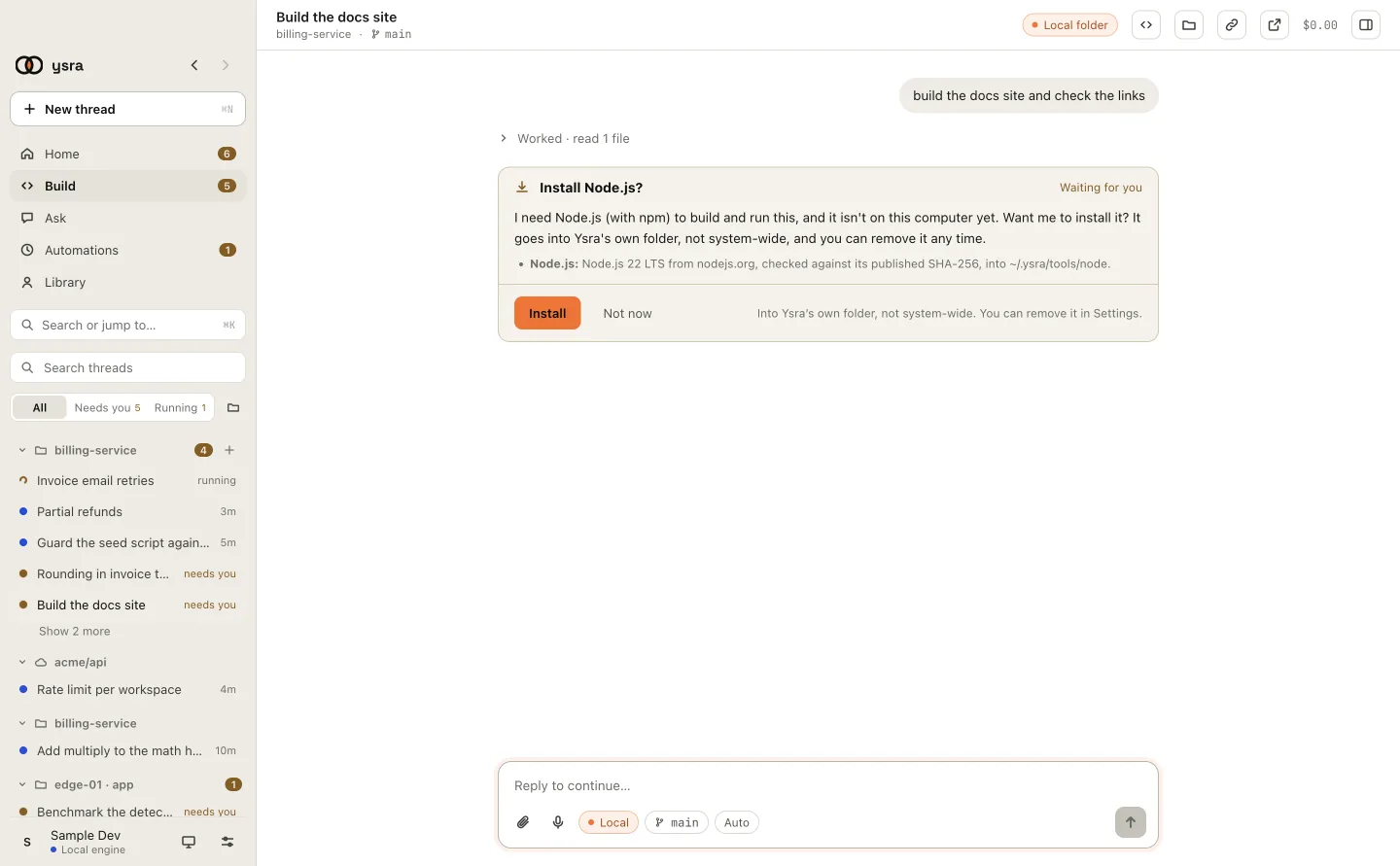
The question, how it would be installed, and two answers.
What happens when you choose Install#
- I download the official build and check it against its published checksum.
- It goes into my own folder (
~/.ysra/tools). Nothing is installed system-wide, and nothing in your shell changes. - The card shows progress, then Installed, and the task continues.
Choose Not now and I carry on without it where I can, and tell you what I couldn't do.
If the install fails, the card says why and offers Try again.
See and remove them#
Settings → General → Installed tools lists each one with its version. Remove deletes it; I ask again the next time a task needs it.
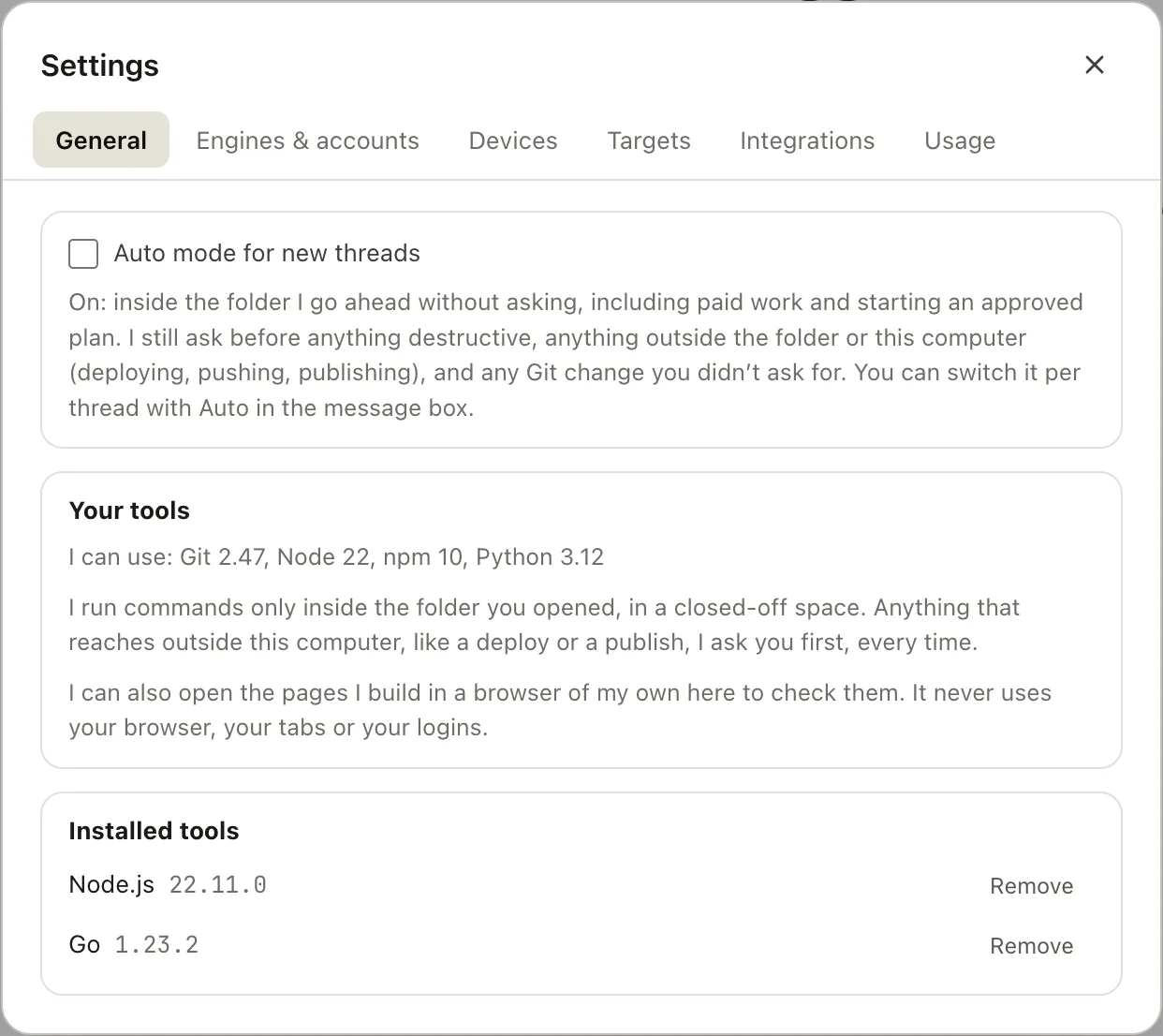
Your tools, and the ones I installed for you.
Other tools#
For anything else — Go, Docker, a hosting tool — I propose one specific step instead. See Machine setup.