Stop and continue
Stop Ysra mid-task, pick the work up again, and what happens when the app is closed or loses its connection while a thread is running.
On this page
Stop#
Choose Stop in the message box, or press Cmd+. (Ctrl+. on Windows and Linux). Esc also stops when you're not typing.
The button turns to Stopping… while I wind down, which takes a few seconds.
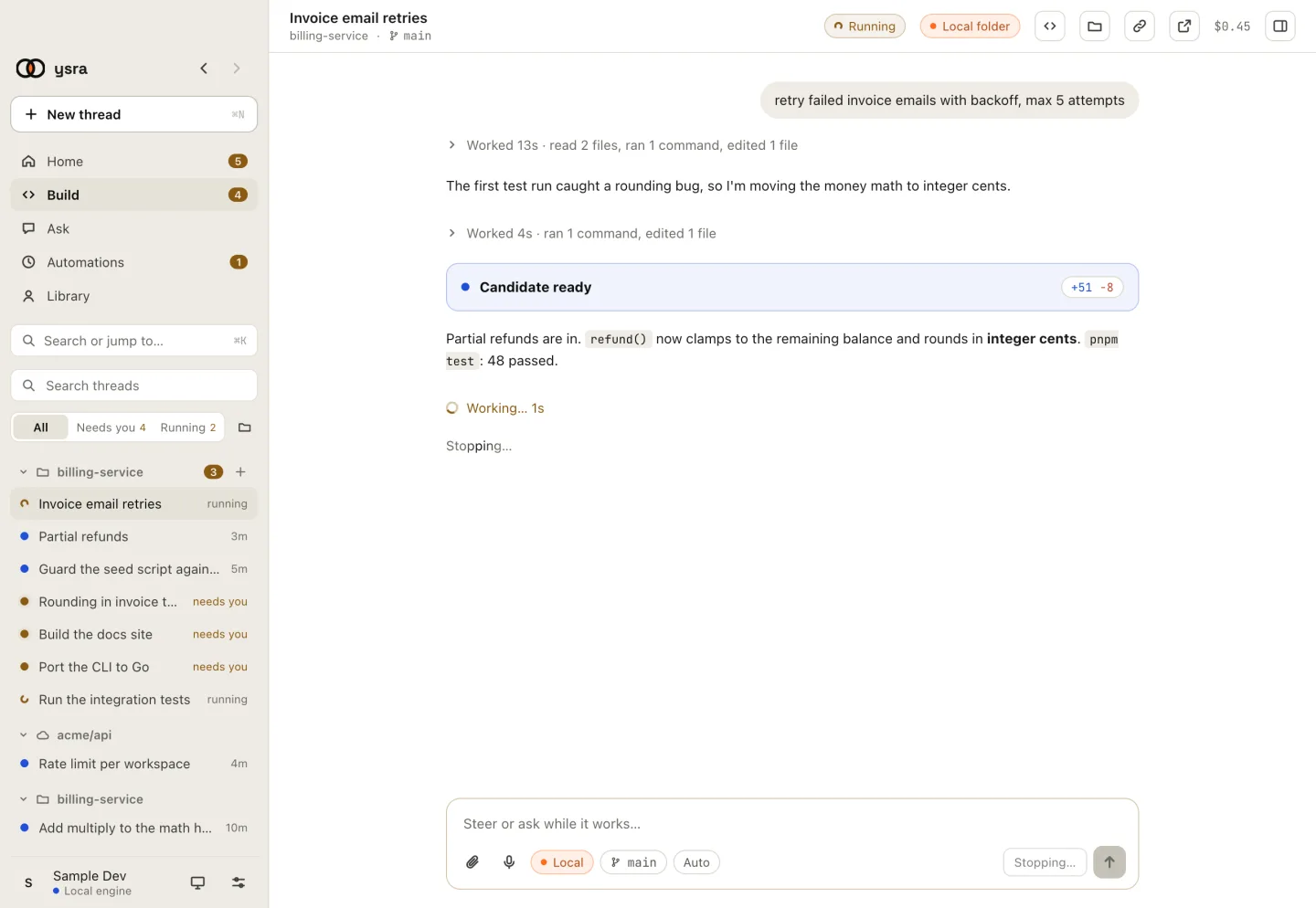
Stopping keeps the work so far.
Then the thread says:
Stopped safely. The candidate and evidence are preserved.
Nothing is thrown away. You can Continue, ask for something different, or undo what was changed.
You rarely need to stop to change direction: just type. I pick a steer up at the next safe point.
Close the app while I'm working#
I can only work on a folder while Ysra is open on the computer that has it. If you quit, I pause. When you open the thread again:
I paused because Ysra was closed on this folder. Continue when you're ready and
I'll pick up where I stopped.
Choose Continue. I carry on from the same place; nothing is repeated.
On Windows and Linux, closing the window keeps Ysra running in the tray, so threads keep working. Choose Quit Ysra from the tray to stop it.
Lose the connection#
If your connection drops, the folder chip reads Reconnecting to this folder… and I keep trying for ten minutes. After that it reads I can't see this folder · retry; click it to reconnect.
Go back to an earlier point#
Rewind… on a finished task returns the folder to how it was at an earlier point in the conversation. I ask first.