The working timeline
How to read what Ysra is doing in a thread — stretches of work, the notes between them, individual steps, live command output and the finished result.
On this page
Everything I do appears in the thread as I do it. Nothing happens off screen.
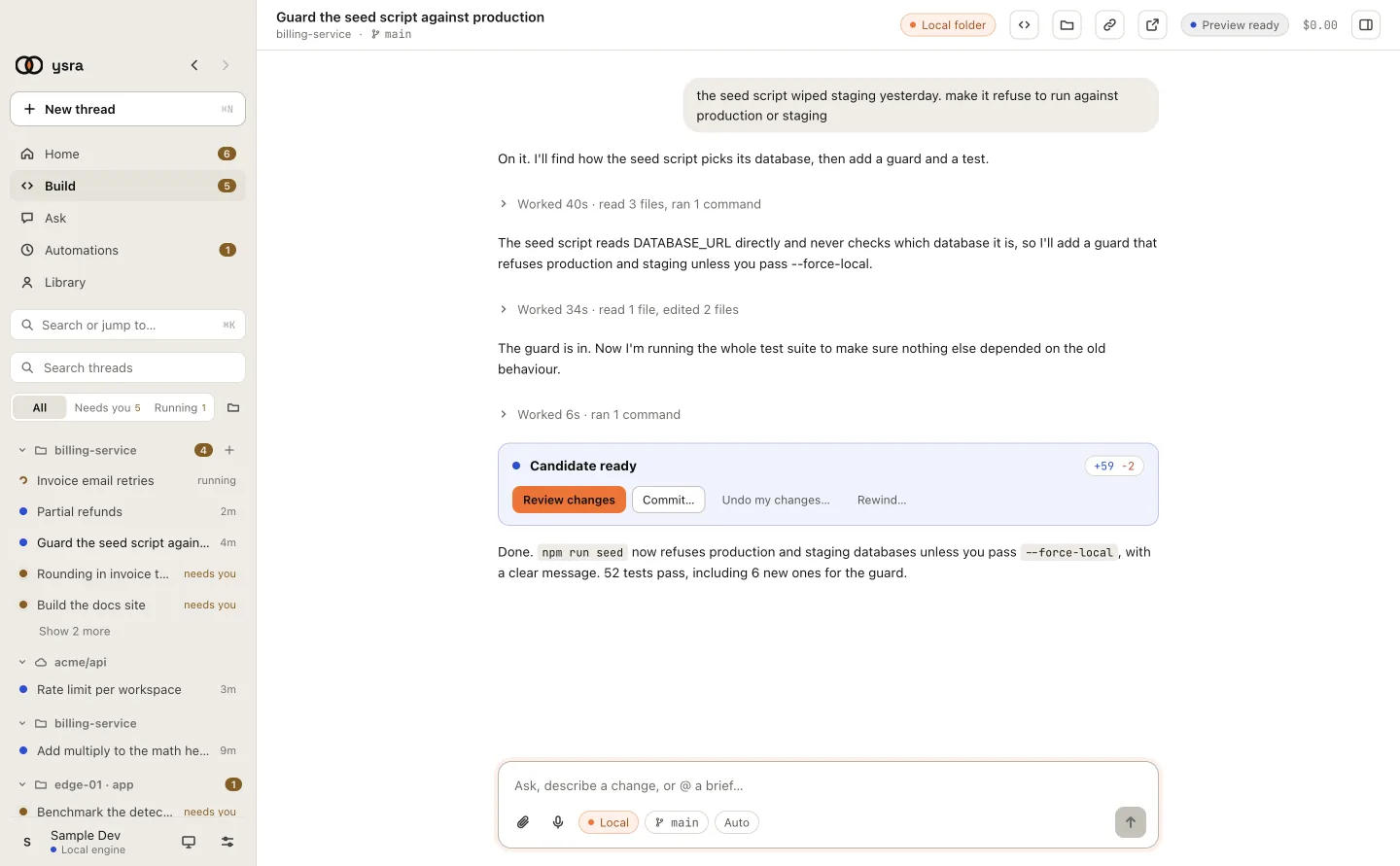
Work is folded into stretches, with my notes between them.
Stretches of work#
While I'm working you see Working… 18s. When a stretch finishes it folds into one line:
Worked 42s · read 6 files, ran 2 commands, edited 3 files
Click the line to open it and see every step.
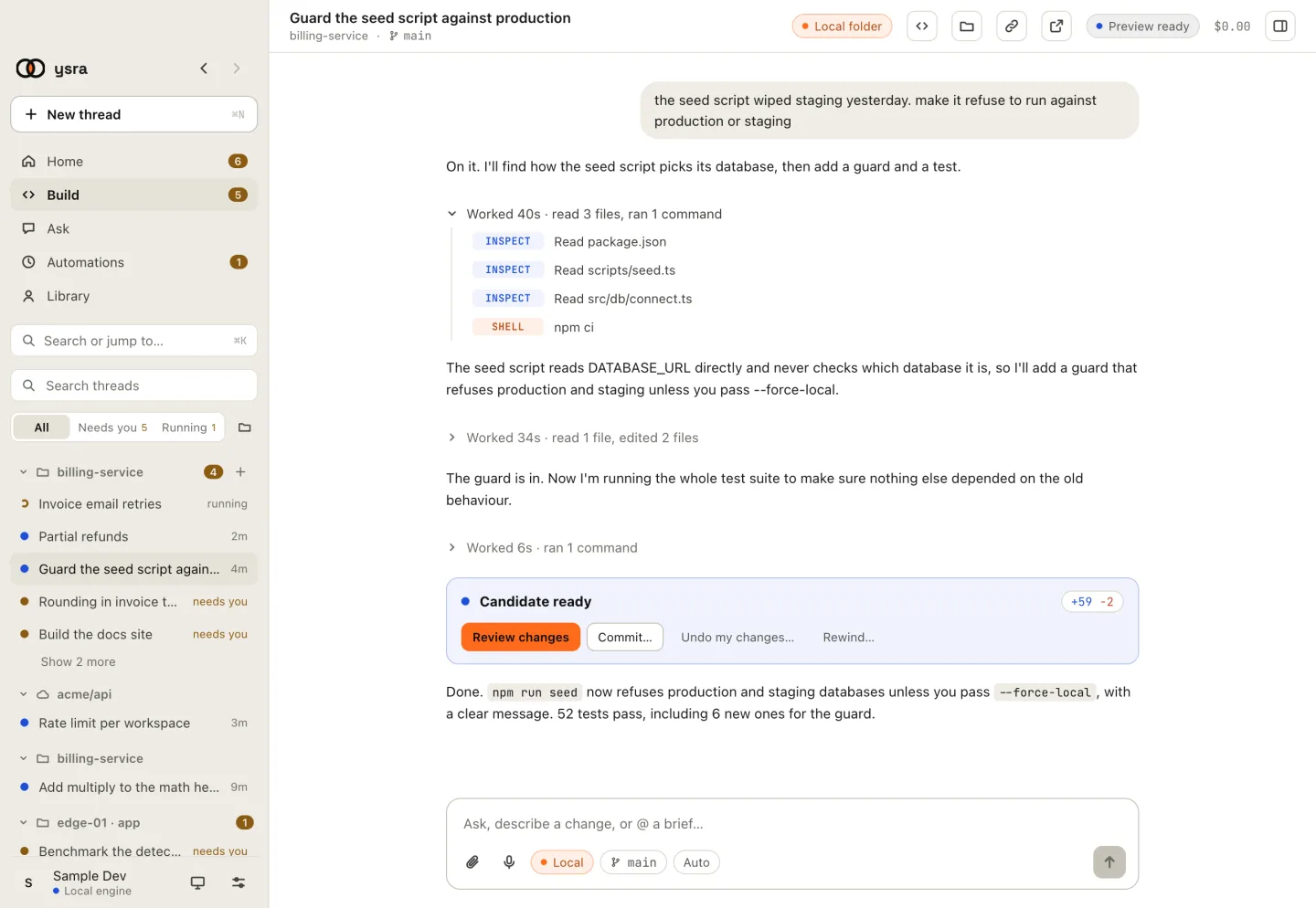
An opened stretch: each file read, each command.
Steps#
Each step has a tag:
| Tag | What it is |
|---|---|
| INSPECT | I read a file or searched the folder |
| EDIT | I changed a file. Click it for the diff |
| SHELL | I ran a command. Click it for the output |
| BROWSER | I opened your app in a browser to check it |
| REVIEW | I checked the result against what you asked |
| PLAN | I wrote or updated the plan |
| FAILED | A step failed. It opens by itself so you see why |
Notes#
Between stretches I say what I found and what I'm doing next, in plain sentences. They are the quickest way to follow along.
Live commands#
A running command shows its output as it arrives:
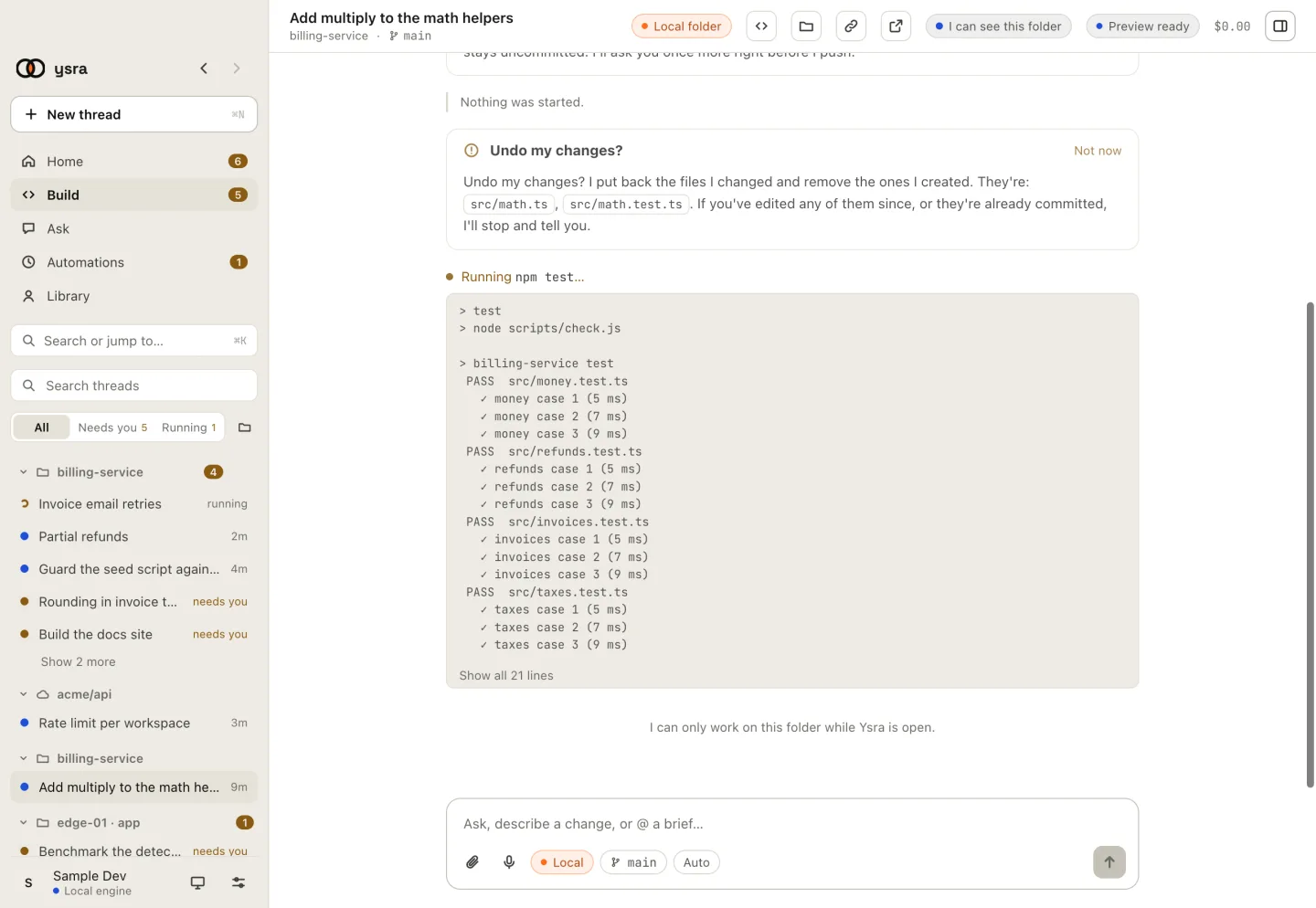
npm test running, with the latest lines of output.
- You see the last 20 lines; Show all N lines opens the rest.
- When it ends, the line reads Ran
npm test· passed in 8s, or failed (exit 1). - A command that runs too long is stopped, and the line says so.
The result#
When I finish, a card says how it ended:
| Card | Meaning |
|---|---|
| Candidate ready | The change is done. The card shows lines added and removed |
| Stopped | You stopped me. What was done so far is kept; Continue picks up |
| Stopped with a problem | Something I couldn't get past. The thread says what |
From Candidate ready you can Review changes, Commit…, Commit & push…, Undo my changes… or Rewind… to an earlier point in the conversation.
Notifications#
When the app is in the background, your system notifies you for three things: Ysra needs you, Candidate ready, and A thread stopped.
The sidebar's Needs you filter lists every thread waiting for an answer.