Approvals and auto mode
Everything Ysra asks before doing in the desktop app — the cards and dialogs, what each answer does, and exactly what auto mode covers.
On this page
When something needs your OK, I stop and wait. "Not now", or no answer, always means I don't do it.
Cards in the thread#
A card says what will happen and has two answers. Cmd+Enter (Ctrl+Enter on Windows and Linux) approves the card in front of you.
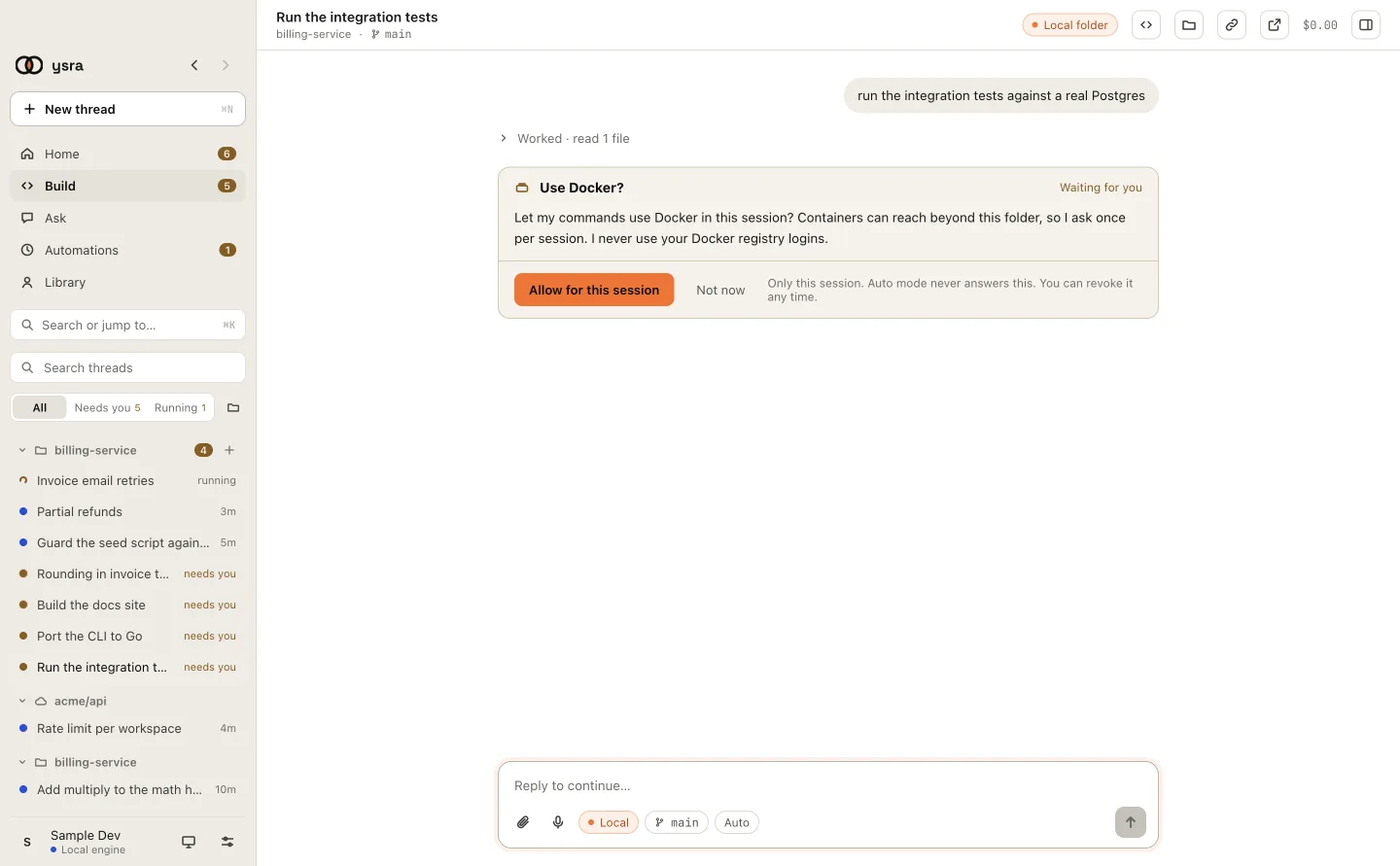
A card: I wait until you answer.
| Card | When it appears | Answers |
|---|---|---|
| Commit and push my changes? | You asked to commit, or commit and push | Commit · Not now |
| Undo my changes? | You asked to undo | Undo · Cancel |
| Install Node.js? | A task needs Node.js, Python or Git and this computer has none | Install · Not now |
| Install Go?, Start Docker?, Sign in to … | A tool is missing, stopped or signed out | Go ahead · Not now, or I've done it · Show me how |
| Use Docker? | A command needs Docker, once per thread | Allow for this session · Not now |
| Use the camera and GPU on edge-01? | A task on a device needs its hardware | Allow for this session · Not now |
| Look around edge-01? | The first time I read a target in a thread | Allow for this session · Not now |
| Run this on edge-01? | Every change on a target | Run it · Skip |
| Your balance is low | Your account balance can't cover the next step | I've added credit, continue |
A card that needs information instead of a yes or no is marked INPUT: pick one of its options, or reply in the message box.
System dialogs#
Three things are asked in a system dialog, so they can't be missed. The default button is Not now, and no answer within two minutes counts as no.
Anything that reaches outside your computer (a deploy, a publish):
I'm about to run `netlify deploy --prod` in this folder with your Netlify account. OK?
This reaches outside your computer, so I ask every time, even in auto mode.
Nothing runs if you say no.
                                                   [Not now]  [Run it]
A push:
I'm about to push release-1.4 to origin. OK?
I never push without asking you, every time, and I never force-push.
                                                   [Not now]  [Push it]
Deleting a file I didn't create:
I'd like to delete notes/old-plan.md. It's your file; I didn't create it. OK?
I only delete files you made after asking you. Nothing happens if you say no.
                                                   [Not now]  [Delete it]
Auto mode#
Auto mode lets me go ahead inside the folder without asking.
- For one thread: the Auto chip in the message box.
- As the default for new threads: Settings → General → Auto mode for new threads.
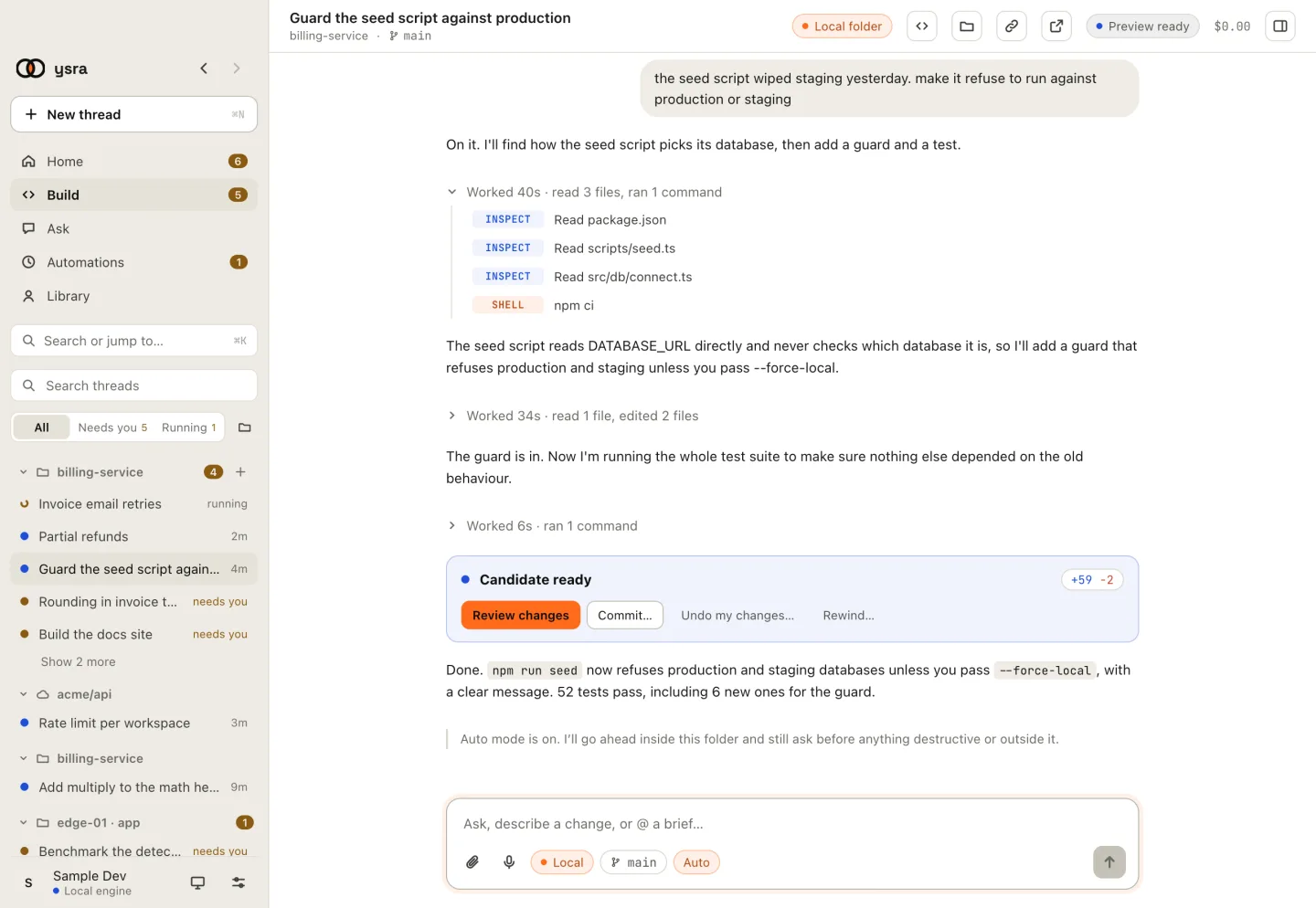
Auto switched on for this thread.
When you switch it, I say so in the thread:
Auto mode is on. I'll go ahead inside this folder and still ask before anything destructive or outside it.
| Auto mode on | Auto mode off | |
|---|---|---|
| Starting work, editing files and running commands inside the folder | Goes ahead | Asks before starting |
| Starting an approved plan | Goes ahead | Asks |
| Deleting your files | Asks | Asks |
| Deploying, publishing, pushing | Asks | Asks |
| A Git change you didn't ask for | Asks | Asks |
| Installing or starting a tool | Asks | Asks |
| Docker, camera, GPU | Asks | Asks |
| Anything on a device or target that changes it | Asks | Asks |
Where to see what's waiting#
- The sidebar's Needs you filter.
- Home, under Needs you.
- On Windows and Linux, the tray icon shows how many threads are waiting.