Commit and push
Keep a finished change from the desktop app — commit on a new or existing branch, push with your OK, and see your repository's CI result in the thread.
On this page
A finished change sits in your folder as ordinary edits. Nothing is committed and nothing is pushed until you say so.
Commit#
Choose Commit… on the finished task, or say "commit". The card has:
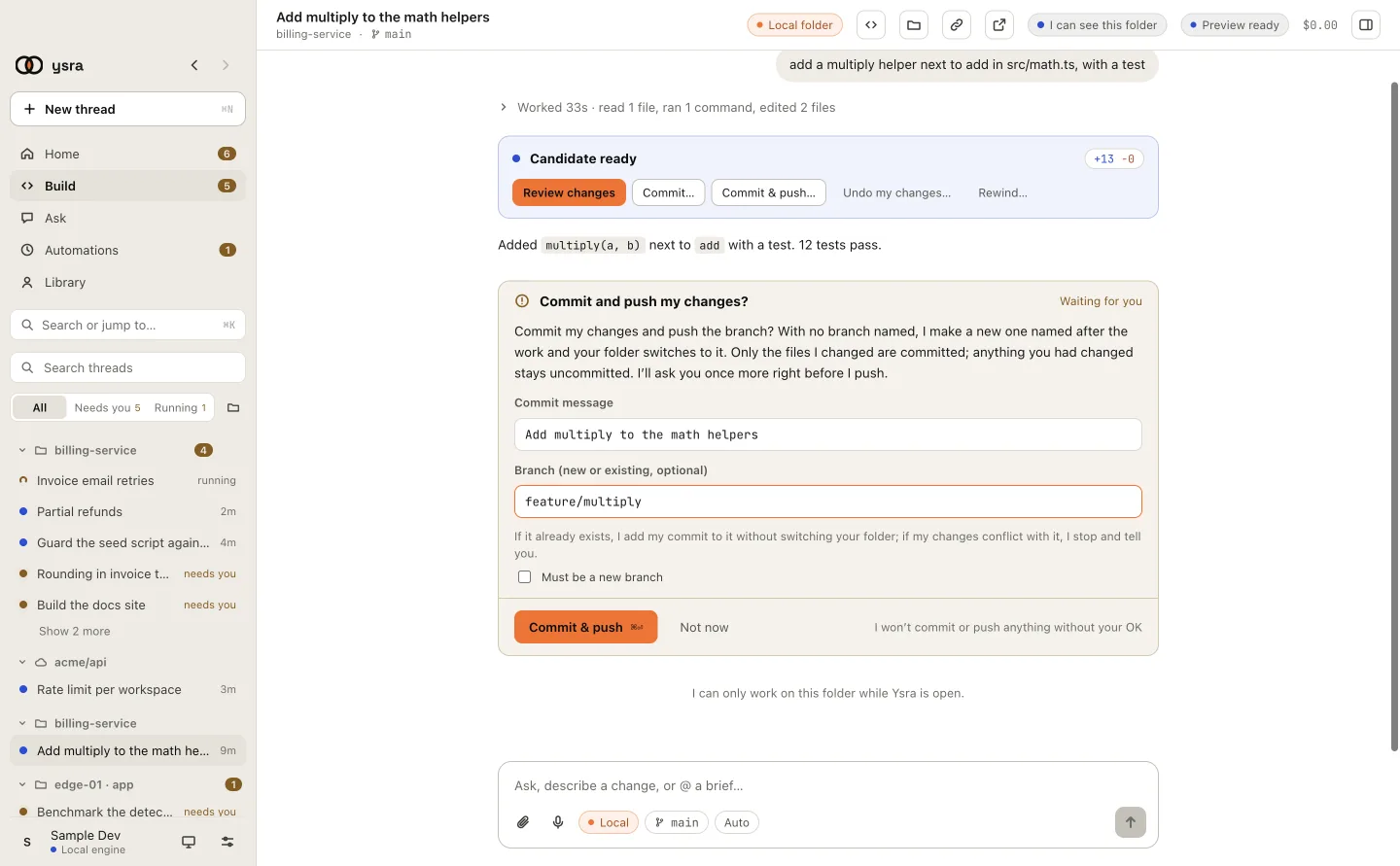
Commit message, branch, and whether the branch must be new.
| Field | What it does |
|---|---|
| Commit message | Filled in for you; edit it |
| Branch (new or existing, optional) | Empty: a new branch named after the work, and your folder switches to it. A name that doesn't exist: I create it. A name that exists: I add my commit to it without switching your folder |
| Must be a new branch | I stop if the name is taken, instead of adding to it |
What goes in:
- only the files I changed. Anything you had changed stays uncommitted, where it is;
- your Git hooks run as usual.
If my changes conflict with an existing branch, I stop, name the files, and write nothing.
If the change's checks did not all pass, the card says so. You can still commit it; it is marked unverified.
Push#
Choose Commit & push…, or say "commit and push". After the commit, a system dialog asks, every time:
I'm about to push release-1.4 to origin. OK?
I never push without asking you, every time, and I never force-push.
                                                   [Not now]  [Push it]
- I only push a branch I created or committed onto in this thread.
- Never forced. If the remote has moved ahead, the push is rejected and I tell you.
Your CI, in the thread#
After a push I read your repository's own checks and report them:
Your CI passed on ysra/partial-refunds (4 checks green).
Your CI failed on ysra/partial-refunds: test. Want me to look into it?
I read it with tools you already have signed in on this computer (gh for
GitHub, glab for GitLab), and I only read. If neither is there, I say that I
can't see your CI from here.
What I never do in your Git#
No force push. No deleting branches, tags or stashes. No hard reset, clean, rebase, or amending your commits. No Git change you didn't ask for in this thread.