Review and verification
How a candidate is judged — your repository's own checks, independent criterion-by-criterion review, a panel of specialist reviewers, browser proof, a clean-build check and a security floor — and how to read every verdict.
On this page
Ysra does not grade its own homework. A candidate is judged by the commands your repository already trusts, then by reviewers that did not write the code. Every result is tied to the exact version of the candidate it looked at — evidence for one version can never approve another.
The layers#
| Layer | Proves | Doesn't prove |
|---|---|---|
| Your checks | It installs, lints, type-checks, passes your tests and builds. | Anything your tests don't cover. |
| Acceptance review | Each criterion was checked against the exact diff by a reviewer that didn't write it. | Behaviour that was never executed. |
| Specialist review | Code, architecture, data, API, security, UX and more were examined by reviewers matched to the change. | A full audit of the whole repository. |
| Browser proof | Interactive behaviour was actually clicked, typed and navigated. | Visual taste; behaviour under load. |
| Clean-build check | It installs, builds, migrates and boots from a clean copy. | Production-specific configuration. |
| Security floor | No secrets written into the change; protected paths untouched. | A penetration test. |
Which layers run depends on the change and on your session's quality settings.
Your checks#
Ysra runs the commands your project defines — install, lint, type-check, test, build, migrations — against the candidate.
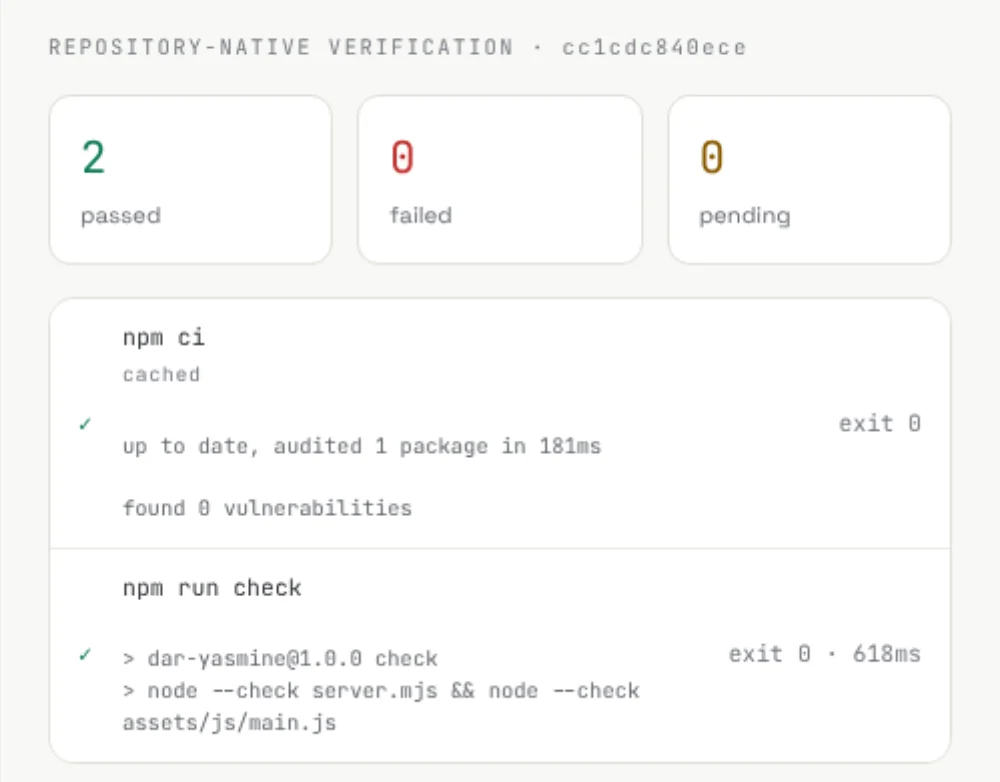
- Only what applies. Commands are selected by the parts of the repository the change touches, so a docs change doesn't run your whole backend suite.
- Fails closed. A check that can't run is a failure, not a pass.
- Pre-existing failures are separated. A test that was already failing before the change is reported as pre-existing — neither blamed on Ysra nor quietly "fixed".
- A check that changes the code is caught. If a build rewrites source files, earlier results no longer count and the new version is checked again.
- Flaky tests are measured, not trusted. Changed tests may be repeated; a test that passes and fails on the same code is reported as flaky and never counted as proof.
- Tests Ysra writes count as evidence — never as the only proof.
For repositories with unusual layouts, required checks can be declared explicitly so they always run for the paths they cover. Ask us to enable it.
Acceptance review#
Once your checks have run, a separate reviewer reads the exact change, your acceptance criteria, the files changed and deleted, and the evidence so far. It cannot edit anything.
For every criterion it records passed, failed, blocked or unproven, with the evidence behind it. The rules it is held to:
- A pass can't override a failing check.
- A pass must be about the criterion's actual subject, not something nearby.
- Interactive behaviour can't pass on source code alone — it needs browser evidence from a real run.
- "We couldn't test this" is unproven: never a defect, never a pass.
- An infrastructure problem never triggers a paid code repair.
- An over-confident summary can be corrected without touching correct code.
- If the code changed during the review, the review doesn't count.
Only a concrete defect sends the work back — as a repair scoped to that defect, starting from the exact reviewed candidate, preserving unrelated behaviour, and re-running only the checks the fix could affect.
Specialist review#
On higher quality settings the candidate also goes to a panel of independent reviewers, each read-only and each with one job. The panel is chosen for the change: a docs fix gets a light panel; a checkout flow gets a full one.
| Reviewer | Looks at |
|---|---|
| Change analyst | What the change touches and what it could affect. |
| Code correctness | Logic, regressions, error handling, maintainability. |
| Architecture | Your stack and your repository's boundaries. |
| Native verification | What your own checks actually showed. |
| Requirements | Each criterion against the real behaviour. |
| API contract | Routes, schemas, errors, authentication, negative cases. |
| Data integrity | Stored data, migrations, invariants, state changes. |
| Browser QA | Executed user workflows. |
| Security | The change's security properties and any secrets. |
| Visual & accessibility | Rendered quality and accessibility. |
| Deployment reliability | Build, boot and deployment evidence. |
| Background jobs | Scheduled and background processing. |
| Evidence auditor | Whether the other conclusions are actually supported — always last. |
A focused panel always includes native verification and requirements review. Specialists are added only when the criteria or the change make their area relevant.
How the panel decides. Each reviewer reports passed, passed with minor findings, failed, blocked or not applicable — and says whether a problem is in the product, the tests, the reviewer's own run, the infrastructure, or simply missing evidence. A product failure must cite evidence from this exact candidate. The final decision is a fixed rule, not another opinion:
| Decision | When |
|---|---|
| Approved | No material product findings, no required reviewer missing. |
| Changes requested | Any material product finding. Becomes a scoped repair. |
| Review blocked | A required reviewer couldn't finish — for example, missing evidence. The candidate is kept. |
| Advisory | On advisory settings: findings are reported without blocking. |
Several reviewers reporting the same underlying defect count once. Suggestions outside your scope stay advisory — review can't expand the job.
Browser proof#
When a criterion describes something a person does, Ysra proves it in a real browser:
- It breaks the requirement into concrete checks — filling the form with an invalid date shows an error.
- It writes browser scenarios grounded in your actual pages and data.
- It runs the application and executes each scenario — navigation, typing, clicking, reloading, desktop and mobile widths, signed-in flows.
- It records every step: what it did, what the page showed, screenshots, console messages.
A written scenario is not proof; only an executed one is. Searches are tested with a term that should match and one that shouldn't. "It worked" means the action changed the page — not that the page already looked that way.
If the browser can't reach the app — a port, a missing sign-in, a service that didn't start — that is an environment problem to fix, not a reason to change working code. A reproducible failed workflow becomes a scoped browser repair, and the same workflow runs again afterwards.
Visual review runs after functional proof, using the executed screenshots. It checks rendering quality; it is never a substitute for clicking.
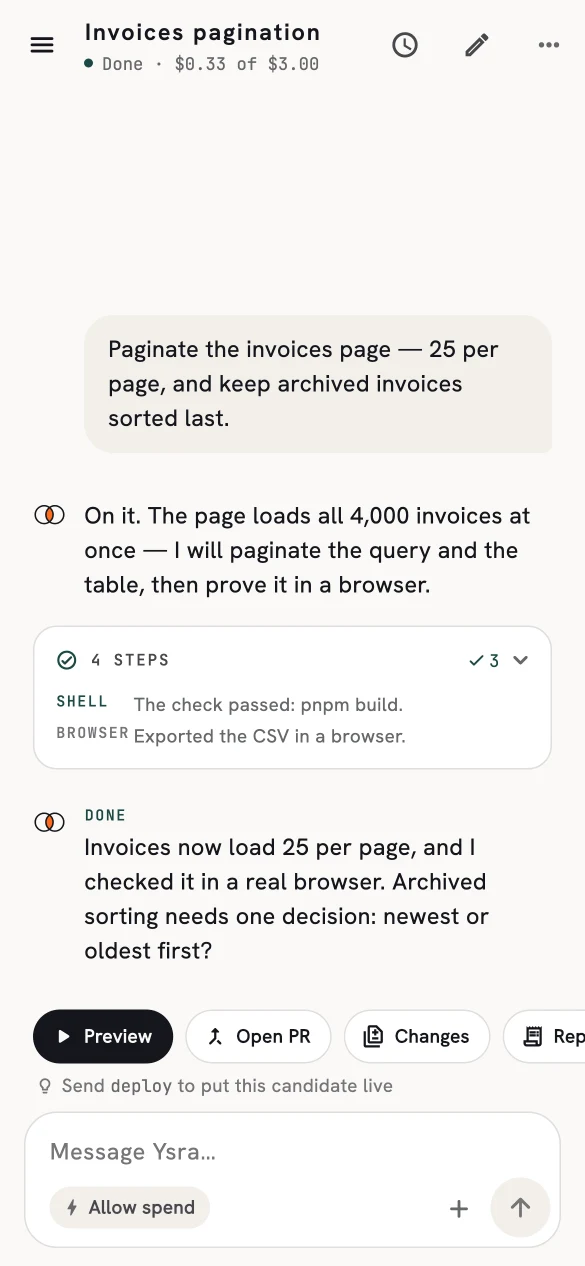
"…and I checked it in a real browser."
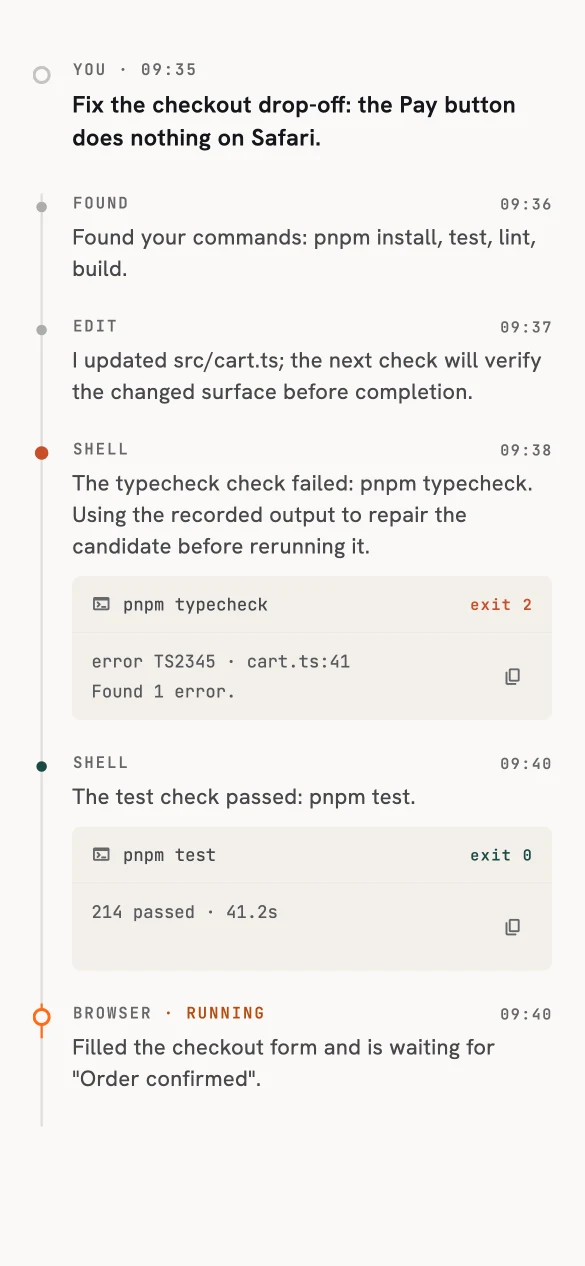
The trail behind it: commands, a failing type-check, the fix, the browser step.
Clean-build check#
For the highest level of confidence, the candidate is also checked from a clean copy: a fresh install, a production build, recognised database migrations and a boot. This catches "works on my machine" — a change that only passes because of leftovers in the workspace.
With an independently written behaviour profile, the same check can run scenarios the implementation never saw. A candidate only earns Verified with that external profile behind it.
Security floor#
Every candidate is scanned before delivery for credentials and secrets written into code, and for changes to protected paths such as environment files, keys and repository internals. Findings name the rule and the file — never the secret itself.
This is a baseline, not a penetration test or a replacement for your own review.
Reading the verdict#
The session's final decision is made once, for the exact final candidate, and everything downstream — the report, delivery, the summary — uses that one decision.
| Verdict | Means |
|---|---|
| Verified | Every applicable check passed, including an independent clean-build profile. |
| Completed | The work is done and required checks passed; any advisory findings are listed with it. This is not a claim that every possible check ran. |
| Unverified | The candidate is kept, but at least one required proof couldn't be produced. No known failure is hidden. |
| Failed | At least one required check has evidence of a real failure. |
| Awaiting you | A decision or answer is needed. |
| Cancelled | Stopped before a result was claimed. |
The summary always shows six gates — work, your checks, acceptance, providers, browser, clean build — each pass, fail, blocked, unproven or not applicable.
In practice
The walkthrough follows a session that built a working storefront and back office — and was still reported as failed, because the proof its brief required wasn't complete.