Projects
For work too big for one session — an approved architecture, milestones and a task graph, run as sessions and integrated into one final candidate, with you approving each decision.
On this page
A project is for objectives too large for a single session: a new product, a multi-part feature, a migration across many modules. Ysra plans the work, you approve the plan, and each task runs as a session whose result is integrated into one final candidate.
Create a project#
Start from a large brief in the Build composer and choose to plan it as a project. Ysra reads the repository and returns a plan with:
- Architecture — how the product will be structured.
- Milestones — the stages, each with a gate you approve.
- Tasks — the work items, their dependencies and acceptance criteria.
- Risks and decisions — what could go wrong, and what needs your call.
- Budget — the overall budget and how it is allocated per task.
- Coverage — which of your requested deliverables each task covers, so nothing you asked for is left out and nothing unrequested is slipped in.
Review it in the portal's project view and approve it, or ask for changes. Approval makes the plan the fixed scope for the project.
How a project runs#
flowchart LR
    plan[Approved plan] --> ready{Tasks ready?}
    ready -->|dependencies met| run[Run as sessions]
    run --> integrate[Integrate results]
    integrate --> gate{Milestone gate}
    gate -->|you approve| ready
    integrate -->|assumption broken| replan[Replan — you approve]
    replan --> ready
gate -->|last milestone| deliver([Deliver the integrated candidate])- Only ready tasks start — a task waits until the tasks it depends on are done.
- Within your authority, it advances by itself. When the approved plan and your settings allow it, eligible tasks start automatically; anything outside that authority waits for you.
- Results are integrated into one project candidate as tasks complete.
- When evidence breaks an assumption, Ysra proposes a replan instead of forcing the old one. You approve it.
- The final delivery is the single integrated candidate, not a pile of separate branches.
What waits for you#
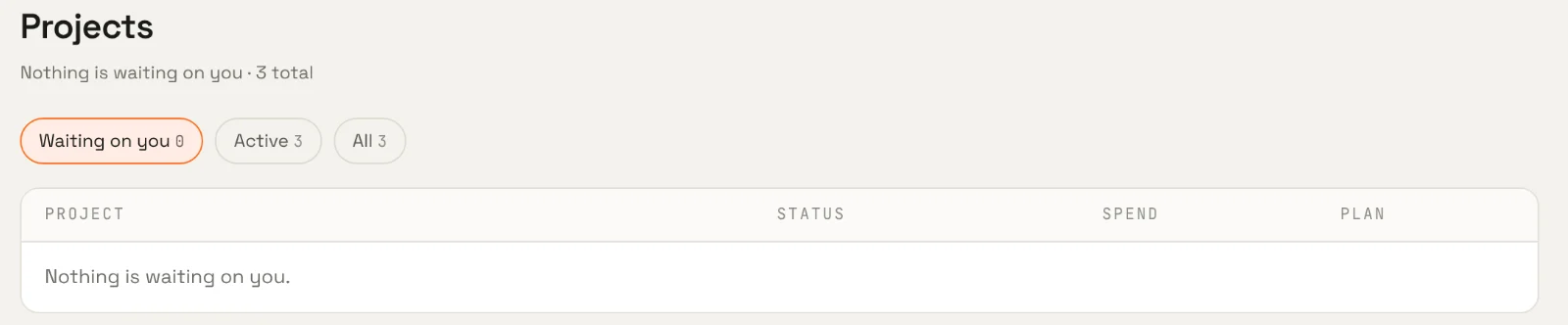
The Waiting on you filter lists projects that need a decision: a milestone to approve, a decision to make, a budget to extend, a replan to accept. On the phone, the same items appear with the one action each needs.
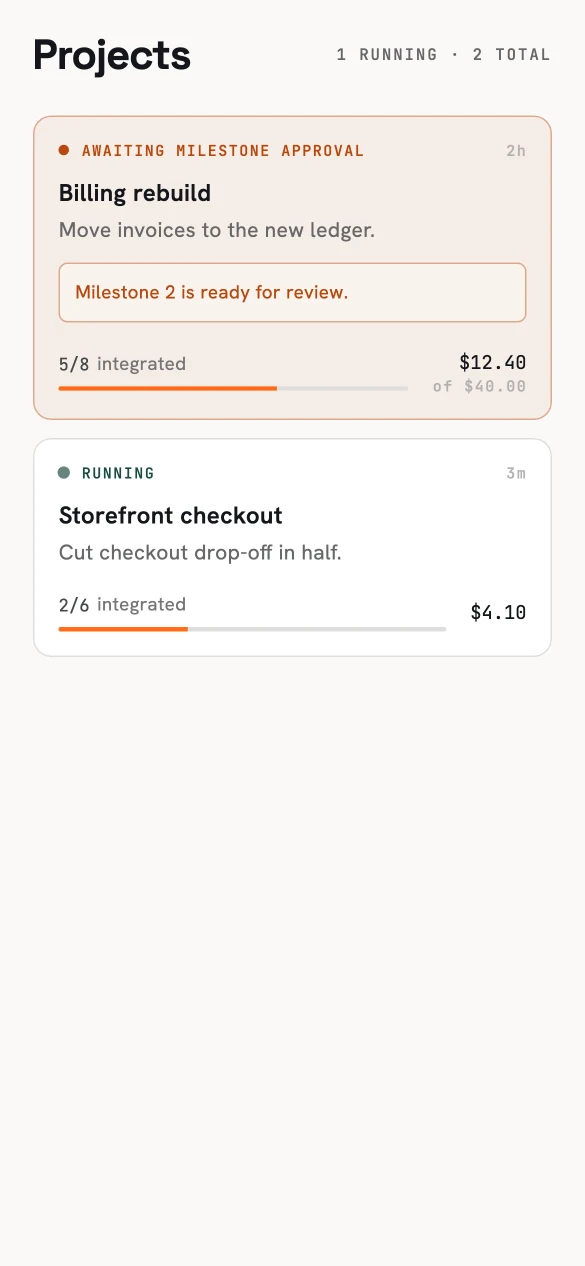
A milestone waiting for approval, and a project running.
Approvals are version-checked: if two people act on the same project at once, the second sees the current state instead of silently overwriting the first.
Actions on a project#
| Action | Use it to |
|---|---|
| Approve / decide | Pass a milestone gate, answer a decision. |
| Budget | Raise the project budget or a task's allocation. |
| Retry | Re-run a specific failed task. |
| Integrate / reconcile | Bring finished task results together; repair a stale project view. |
| Replan | Accept a revised plan when an assumption turned out wrong. |
| Preview | Run the integrated candidate. |
| Cancel | Stop the project. |
| Deliver | Deliver the final integrated candidate. |
Only the actions your role and the project's state allow are offered.
Rewinding a single task inside a project is limited once its work has been integrated with other tasks — the project, not the task, owns that result.